Hola soy
Kz
Hacker y hoy crearemos un SpyWebCam
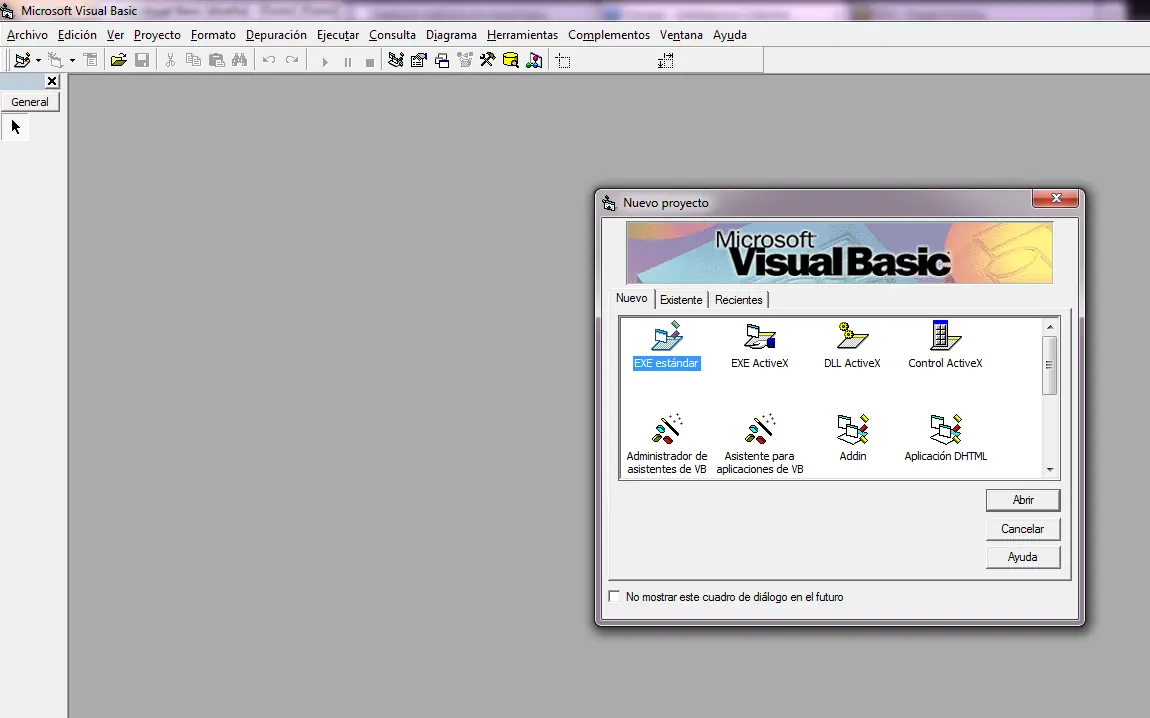
Creamos un proyecto Exe Standard en Visual Basic 6.0
En el formulario ponemos 4 CommandButton y 1 PictureBox como se muestra en la siguiente imagen:
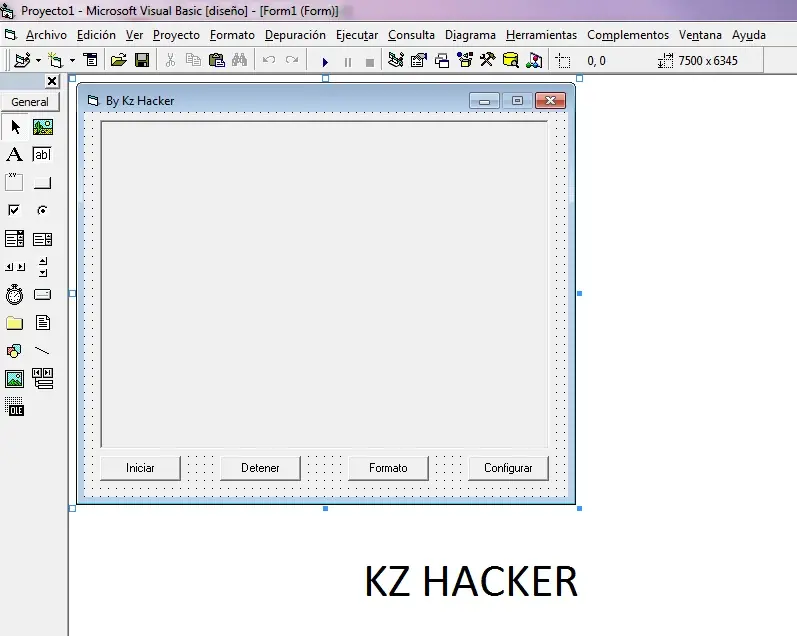
Iniciar:Command1
Detener:Command2
Formato:Command3
Configurar:Command4
PictureBox: Picture1
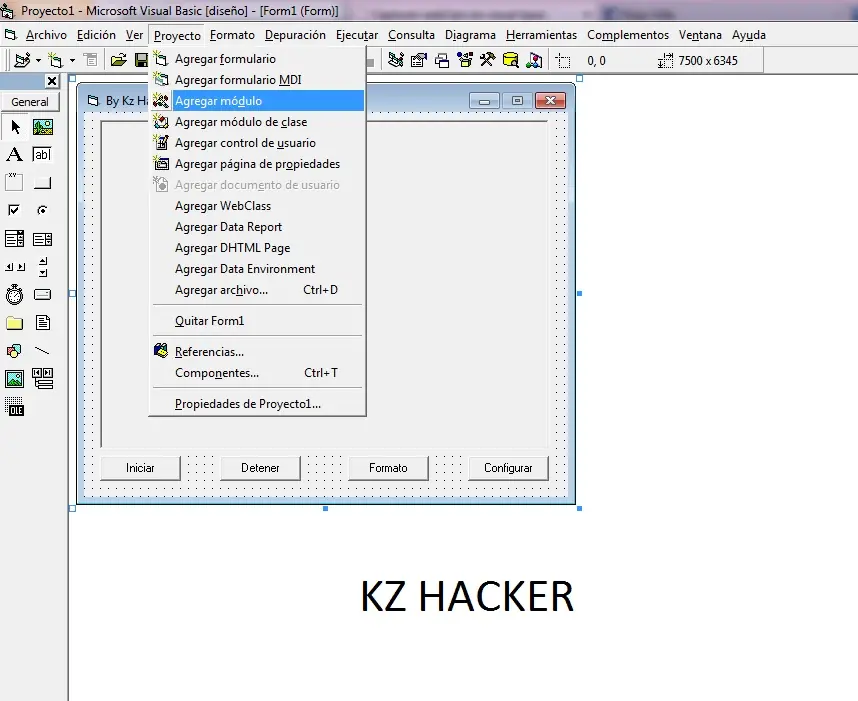
Agregamos un Modulo.bas:
Codigos:
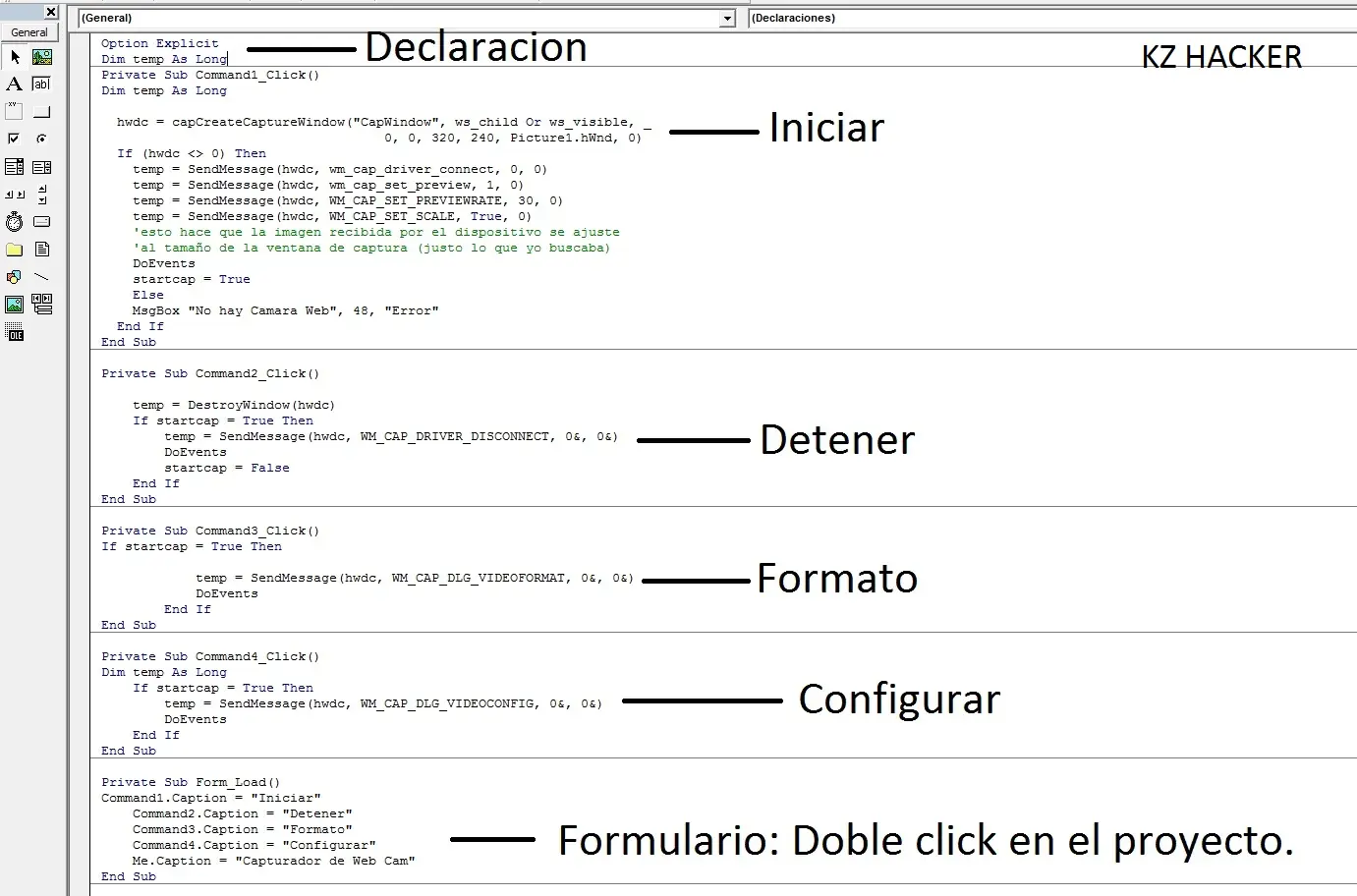
Declaracion:
Option Explicit
Dim temp As Long
Boton Iniciar:
Dim temp As Long
hwdc = capCreateCaptureWindow("CapWindow", ws_child Or ws_visible, _
0, 0, 320, 240, Picture1.hwnd, 0)
If (hwdc <> 0) Then
temp = SendMessage(hwdc, wm_cap_driver_connect, 0, 0)
temp = SendMessage(hwdc, wm_cap_set_preview, 1, 0)
temp = SendMessage(hwdc, WM_CAP_SET_PREVIEWRATE, 30, 0)
temp = SendMessage(hwdc, WM_CAP_SET_SCALE, True, 0)
'esto hace que la imagen recibida por el dispositivo se ajuste
'al tamaño de la ventana de captura (justo lo que yo buscaba)
DoEvents
startcap = True
Else
MsgBox "No hay Camara Web", 48, "Error"
End If
Boton Detener:
temp = DestroyWindow(hwdc)
If startcap = True Then
temp = SendMessage(hwdc, WM_CAP_DRIVER_DISCONNECT, 0&, 0&

DoEvents
startcap = False
End If
Boton Formato:
If startcap = True Then
temp = SendMessage(hwdc, WM_CAP_DLG_VIDEOFORMAT, 0&, 0&
DoEvents
End If
Boton Configurar:
Dim temp As Long
If startcap = True Then
temp = SendMessage(hwdc, WM_CAP_DLG_VIDEOCONFIG, 0&, 0&
DoEvents
End If
Form_Load:
Command1.Caption = "Iniciar"
Command2.Caption = "Detener"
Command3.Caption = "Formato"
Command4.Caption = "Configurar"
Me.Caption = "Capturador de Web Cam"
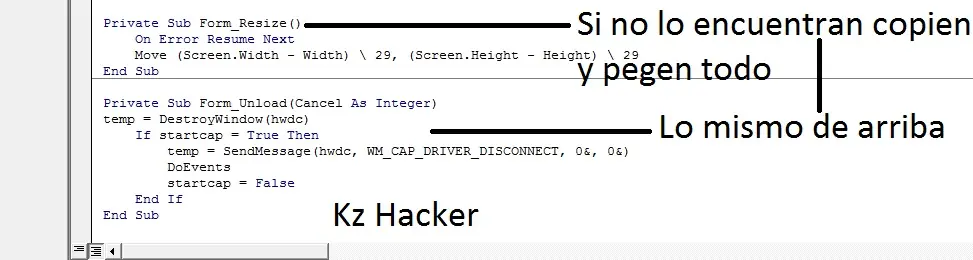
Form_Resize:
Private Sub Form_Resize()
On Error Resume Next
Move (Screen.Width - Width) 29, (Screen.Height - Height) 29
End Sub
Form_Unload:
Private Sub Form_Unload(Cancel As Integer)
temp = DestroyWindow(hwdc)
If startcap = True Then
temp = SendMessage(hwdc, WM_CAP_DRIVER_DISCONNECT, 0&, 0&
DoEvents
startcap = False
End If
End Sub
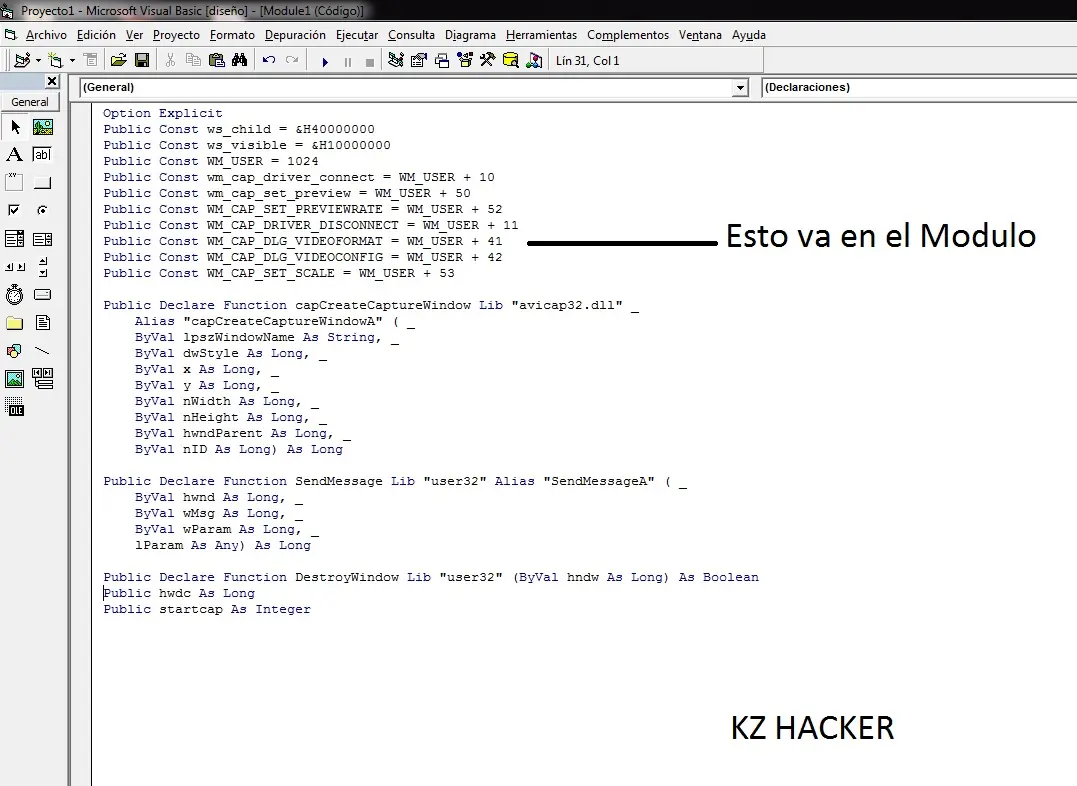
Modulo:
Option Explicit
Public Const ws_child = &H40000000
Public Const ws_visible = &H10000000
Public Const WM_USER = 1024
Public Const wm_cap_driver_connect = WM_USER + 10
Public Const wm_cap_set_preview = WM_USER + 50
Public Const WM_CAP_SET_PREVIEWRATE = WM_USER + 52
Public Const WM_CAP_DRIVER_DISCONNECT = WM_USER + 11
Public Const WM_CAP_DLG_VIDEOFORMAT = WM_USER + 41
Public Const WM_CAP_DLG_VIDEOCONFIG = WM_USER + 42
Public Const WM_CAP_SET_SCALE = WM_USER + 53
Public Declare Function capCreateCaptureWindow Lib "avicap32.dll" _
Alias "capCreateCaptureWindowA" ( _
ByVal lpszWindowName As String, _
ByVal dwStyle As Long, _
ByVal x As Long, _
ByVal y As Long, _
ByVal nWidth As Long, _
ByVal nHeight As Long, _
ByVal hwndParent As Long, _
ByVal nID As Long) As Long
Public Declare Function SendMessage Lib "user32" Alias "SendMessageA" ( _
ByVal hwnd As Long, _
ByVal wMsg As Long, _
ByVal wParam As Long, _
lParam As Any) As Long
Public Declare Function DestroyWindow Lib "user32" (ByVal hndw As Long) As Boolean
'Declare Function SendMessage Lib "User" ( _
ByVal hWnd As Integer, _
ByVal wMsg As Integer, _
ByVal wParam As Integer, _
lParam As Any) As Long
'Declare Function capCreateCaptureWindow Lib "avicap.dll" ( _
ByVal lpszWindowName As String, _
ByVal dwStyle As Long, _
ByVal x As Integer, _
ByVal y As Integer, _
ByVal nWidth As Integer, _
ByVal nHeight As Integer, _
ByVal hwndParent As Integer, _
ByVal nID As Integer) As Long
'Declare Function DestroyWindow Lib "User" (ByVal hndw As Integer) As Integer
Public hwdc As Long
Public startcap As Integer
Si no encontras el Form_Resize y el Form_Unload, Copia y pega todo...
PD:Si quieren espiar por la webcam , Tienen que crear un proyecto: Cliente/Servidor Con Winsock...
Donde ahi un va un & )
Osea qe va junto, yo lo puse separado para no repetir la cara
Creamos un proyecto Exe Standard en Visual Basic 6.0
En el formulario ponemos 4 CommandButton y 1 PictureBox como se muestra en la siguiente imagen:
Iniciar:Command1
Detener:Command2
Formato:Command3
Configurar:Command4
PictureBox: Picture1
Agregamos un Modulo.bas:
Codigos:
Declaracion:
Option Explicit
Dim temp As Long
Boton Iniciar:
Dim temp As Long
hwdc = capCreateCaptureWindow("CapWindow", ws_child Or ws_visible, _
0, 0, 320, 240, Picture1.hwnd, 0)
If (hwdc <> 0) Then
temp = SendMessage(hwdc, wm_cap_driver_connect, 0, 0)
temp = SendMessage(hwdc, wm_cap_set_preview, 1, 0)
temp = SendMessage(hwdc, WM_CAP_SET_PREVIEWRATE, 30, 0)
temp = SendMessage(hwdc, WM_CAP_SET_SCALE, True, 0)
'esto hace que la imagen recibida por el dispositivo se ajuste
'al tamaño de la ventana de captura (justo lo que yo buscaba)
DoEvents
startcap = True
Else
MsgBox "No hay Camara Web", 48, "Error"
End If
Boton Detener:
temp = DestroyWindow(hwdc)
If startcap = True Then
temp = SendMessage(hwdc, WM_CAP_DRIVER_DISCONNECT, 0&, 0&
DoEvents
startcap = False
End If
Boton Formato:
If startcap = True Then
temp = SendMessage(hwdc, WM_CAP_DLG_VIDEOFORMAT, 0&, 0&
DoEvents
End If
Boton Configurar:
Dim temp As Long
If startcap = True Then
temp = SendMessage(hwdc, WM_CAP_DLG_VIDEOCONFIG, 0&, 0&
DoEvents
End If
Form_Load:
Command1.Caption = "Iniciar"
Command2.Caption = "Detener"
Command3.Caption = "Formato"
Command4.Caption = "Configurar"
Me.Caption = "Capturador de Web Cam"
Form_Resize:
Private Sub Form_Resize()
On Error Resume Next
Move (Screen.Width - Width) 29, (Screen.Height - Height) 29
End Sub
Form_Unload:
Private Sub Form_Unload(Cancel As Integer)
temp = DestroyWindow(hwdc)
If startcap = True Then
temp = SendMessage(hwdc, WM_CAP_DRIVER_DISCONNECT, 0&, 0&
DoEvents
startcap = False
End If
End Sub
Modulo:
Option Explicit
Public Const ws_child = &H40000000
Public Const ws_visible = &H10000000
Public Const WM_USER = 1024
Public Const wm_cap_driver_connect = WM_USER + 10
Public Const wm_cap_set_preview = WM_USER + 50
Public Const WM_CAP_SET_PREVIEWRATE = WM_USER + 52
Public Const WM_CAP_DRIVER_DISCONNECT = WM_USER + 11
Public Const WM_CAP_DLG_VIDEOFORMAT = WM_USER + 41
Public Const WM_CAP_DLG_VIDEOCONFIG = WM_USER + 42
Public Const WM_CAP_SET_SCALE = WM_USER + 53
Public Declare Function capCreateCaptureWindow Lib "avicap32.dll" _
Alias "capCreateCaptureWindowA" ( _
ByVal lpszWindowName As String, _
ByVal dwStyle As Long, _
ByVal x As Long, _
ByVal y As Long, _
ByVal nWidth As Long, _
ByVal nHeight As Long, _
ByVal hwndParent As Long, _
ByVal nID As Long) As Long
Public Declare Function SendMessage Lib "user32" Alias "SendMessageA" ( _
ByVal hwnd As Long, _
ByVal wMsg As Long, _
ByVal wParam As Long, _
lParam As Any) As Long
Public Declare Function DestroyWindow Lib "user32" (ByVal hndw As Long) As Boolean
'Declare Function SendMessage Lib "User" ( _
ByVal hWnd As Integer, _
ByVal wMsg As Integer, _
ByVal wParam As Integer, _
lParam As Any) As Long
'Declare Function capCreateCaptureWindow Lib "avicap.dll" ( _
ByVal lpszWindowName As String, _
ByVal dwStyle As Long, _
ByVal x As Integer, _
ByVal y As Integer, _
ByVal nWidth As Integer, _
ByVal nHeight As Integer, _
ByVal hwndParent As Integer, _
ByVal nID As Integer) As Long
'Declare Function DestroyWindow Lib "User" (ByVal hndw As Integer) As Integer
Public hwdc As Long
Public startcap As Integer
Si no encontras el Form_Resize y el Form_Unload, Copia y pega todo...
PD:Si quieren espiar por la webcam , Tienen que crear un proyecto: Cliente/Servidor Con Winsock...
Donde ahi un
va un & )
Osea qe va junto, yo lo puse separado para no repetir la cara