PRE-INTRO
Since the post on Creating wordlists with crunch v2.4 made in April last year, crunch has gone through
quite a few changes and improvements and bofh28 has now released v3.0 ! (on 16-05-2011)
To make sure that the information on this blog is staying upto date, its time for a new and improved post.
There will be a lot of duplication from my previous post on crunch, but it should then at least
be a more or less full and complete post.
I have tried to follow the alphabetical order of the options and have done a chapter per option/switch.
Please leave comments should the post be lacking information on anything you feel should be included.
INTRODUCTION
crunch is a tool for creating bruteforce wordlists which can be used to audit password strength.
The size of these wordlists is not to be underestimated, however crunch can make use of patterns to reduce wordlist sizes, can compress output files in various formats and (since v2.6) now includes a message advising the size of the wordlist that will be created, giving you a 3 second window to stop the creation should the size be too large for your intended use.
The full range of options is as follows ;
-b Maximum bytes to write per file, so using this option the wordlist to be created can be split into various
sizes such as KB / MB / GB (must be used in combination with "-o START" switch)
-c Number of lines to write to output file, must be used together with "-o START"
-e Specifies when crunch should stop early (crunch v3.1)
-f Path to the charset.lst file to use, standard location is '/pentest/passwords/crunch/charset.lst
to be used in conjunction with the name of the desired charset list, such as 'mixalpha-numeric-space'
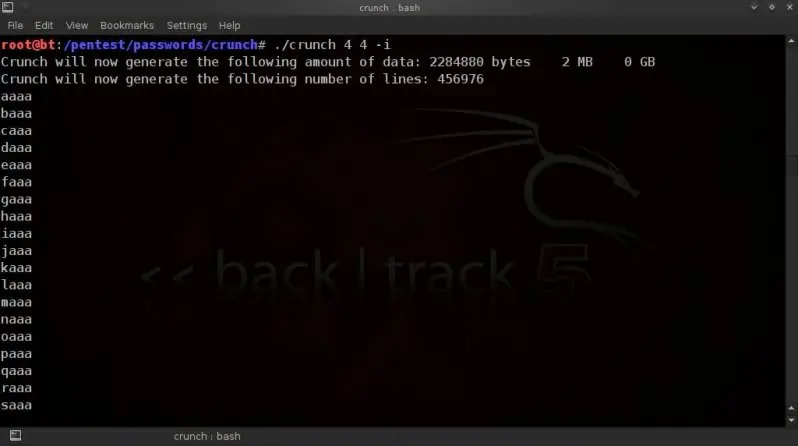
-i Inverts the output sequence from left-to-right to right-to-left
(So instead of aaa, aab, aac, aad etc, output would be aaa baa caa daa)
-l When specifying custom patterns with the -t option, the -l switch allows you to identify which of the characters
should be taken as a literal character instead of a place holder ( @,%^ )
-o Allows you to specify the file name / location for the output, e.g. /media/flashdrive/wordlist.txt
-p Prints permutations of the words or characters provided in the command line.
-q Prints permutation of the words or characters found in a specified file
-r Resumes from a previous session, exact same syntax to be used followed by -r
-s Allows you to specify the starting string for your wordlist.
-t Allows you to specify a specific pattern to use. Probably one of the most important functions !
Place holders for fixed character sets are ;
@ -- lower case alpha characters
, -- upper case alhpa characters
% -- numeric characters
^ -- special characters (including space)
-u Supresses the output of wordlist size & linecount prior starting wordlist generation.
-z Adds support to compress the generation output, supports gzip, bzip & lzma
All the below is done on backtrack 5, only tested on the 32bit versions.
crunch is not installed by default on BT5 and as yet (22-05-2011) not yet in the repo's.
(When it does hit the repo's I will amend this post to reflect installing from repo's)
so download from the source at ;
http://sourceforge.net/projects/crunch-wordlist/
and install as follows;
tar -xvf crunch-3.0.tgz
cd crunch3.0/
make && make install
crunch is now available in the BT repositories,
so can download and install on backtrack5 simply by doing a ;
apt-get update
apt-get install crunch
BASIC USAGE AND CHARACTER SETS
The default installation directory / path for crunch in backtrack 5 is
/pentest/passwords/crunch/
All the below examples are based on being in the crunch directory /pentest/passwords/crunch/
To run crunch from outside of crunch's own directory use ;
/pentest/passwords/crunch/crunch [min length] [max length] [ character set]

example from root directory;
dijo:/pentest/passwords/crunch/crunch 8 8 abc + + !@# -t TEST^%,@ -o test.txt
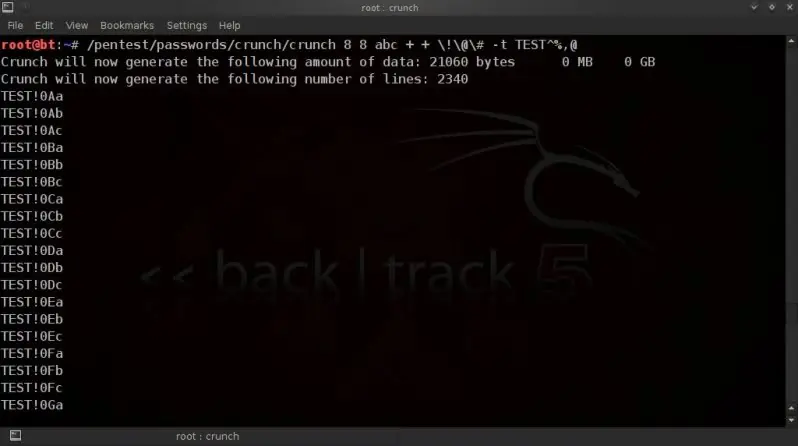
Basic usage is as follows to print to screen
dijo:./crunch [min length] [max length] [character set]
To write to file use the -o switch ;
dijo:./crunch [min length] [max length] [character set]
If no character set is defined, then crunch will default to using the lower case alpha character set;
./crunch 4 4
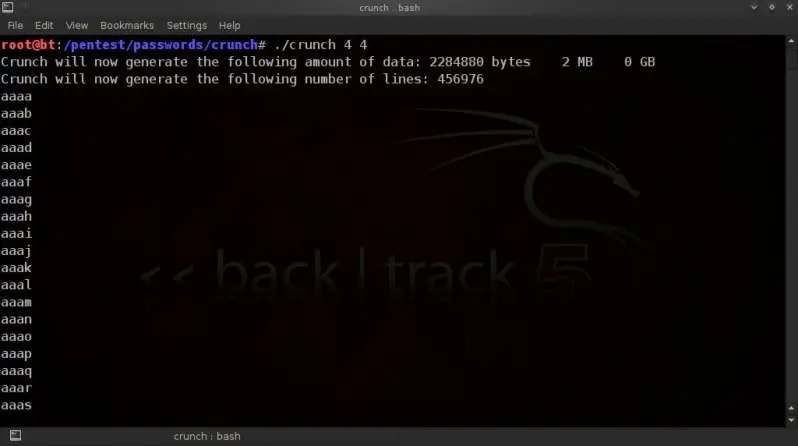
Also any desired character set can be enterered manually in the command line ;
./crunch 6 6 0123456789ABCDEF
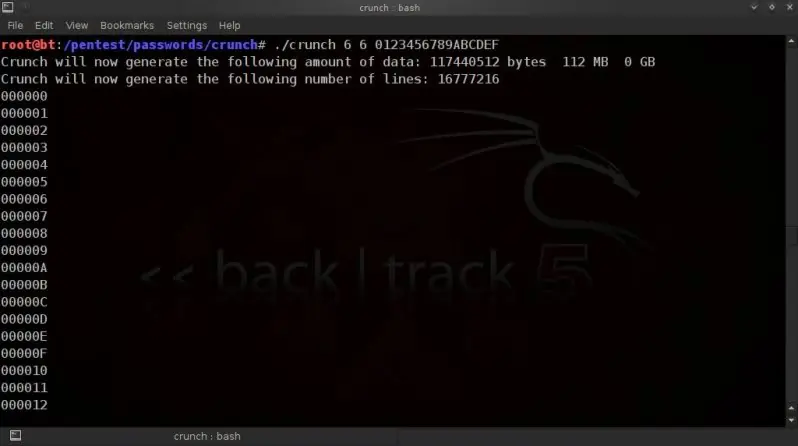
Certain characters will need escaping with a backslash ;
./crunch 6 6 ABC!@#$
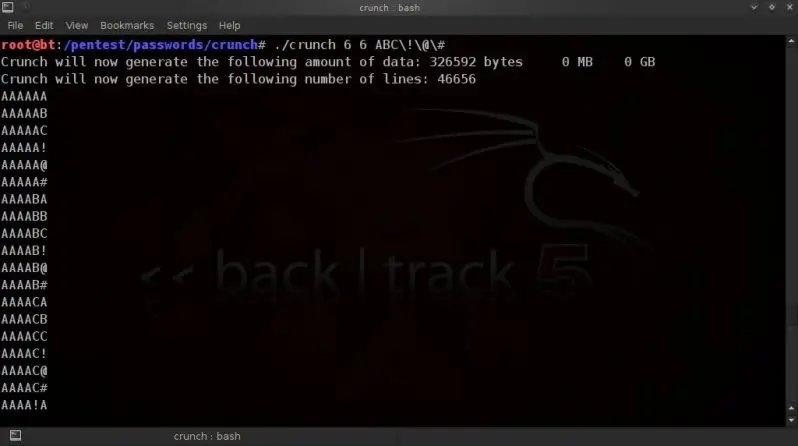
CREATING WORDLISTS IN BLOCKS OF A CERTAIN SIZE
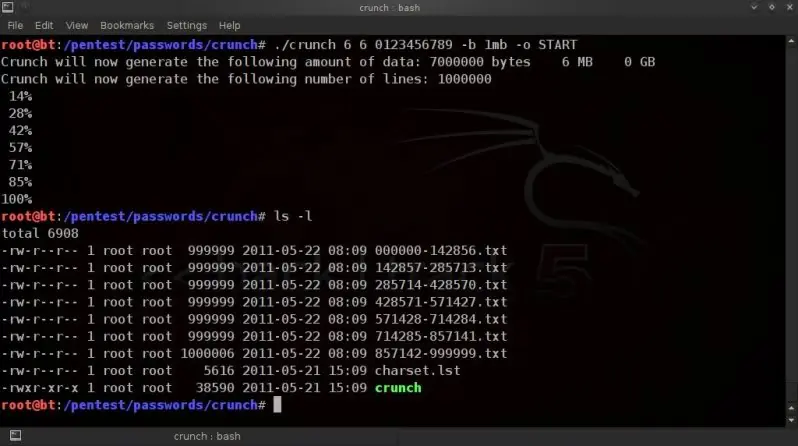
Using the -b switch, we can tell crunch to create a wordlist which is split into multiple files
of user-specified sizes.
This must be done in conjunction with -o START.
The size definition can be; kb, mb, gb or kib, mib, gib
kb, mb, and gb are based on the power of 10 (i.e. 1KB = 1000 bytes)
kib, mib, and gib are based on the power of 2 (i.e. 1KB = 1024 bytes).
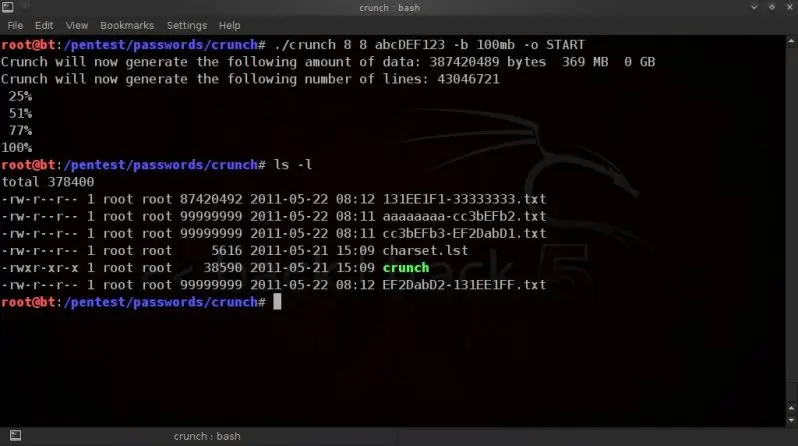
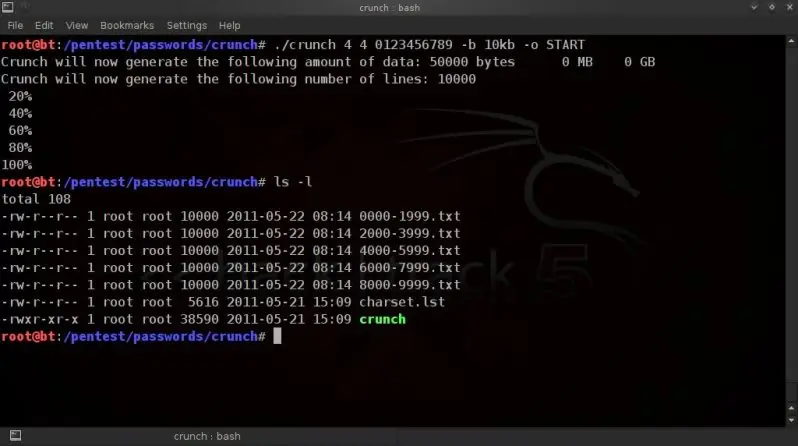
The output files will be named after the first and last entry in the wordlists.
To create a wordlist split into files of not more than 1mb;
./crunch 6 6 0123456789 -b 1mb -o START
To create a wordlist split in files of no more than 100mb;
./crunch 8 8 abcDEF123 -b 100mb -o START
To create a wordlist split into files of no more that 10kb;
./crunch 4 4 0123456789 -b 10kb -o START
To create a wordlist split into files of no more than 2gb;
./crunch 8 8 0123456789ABCDEF -b 2gb -o START
etc.
etc.
CREATING WORDLISTS IN BLOCKS OF A CERTAIN LINECOUNT
(ie. number of passphrases per file)
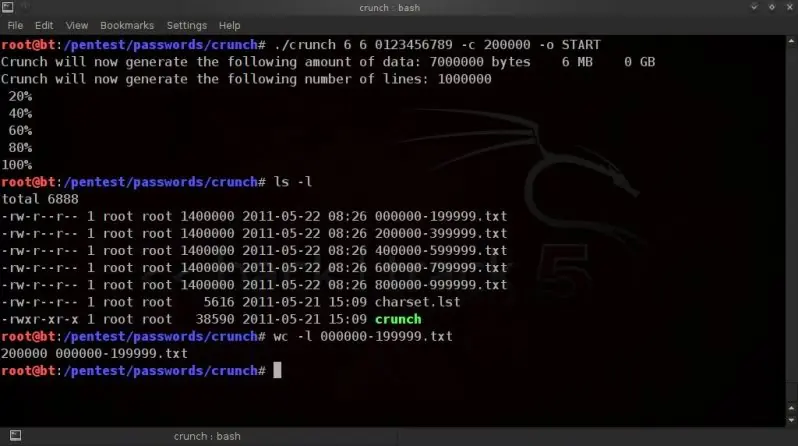
Using the -c switch you can have crunch create wordlists which do not contain more than the
specified number of lines.
This must be used in conjunction with -o START.
To create files containing no more than 200000 (200 thousand) lines (passphrases);
./crunch 6 6 0123456789 -c 200000 -o START
To create files containing no more that 150000 (150 thousand) lines (passphrases);
./crunch 6 6 abcDEF123 -c 150000 -o START
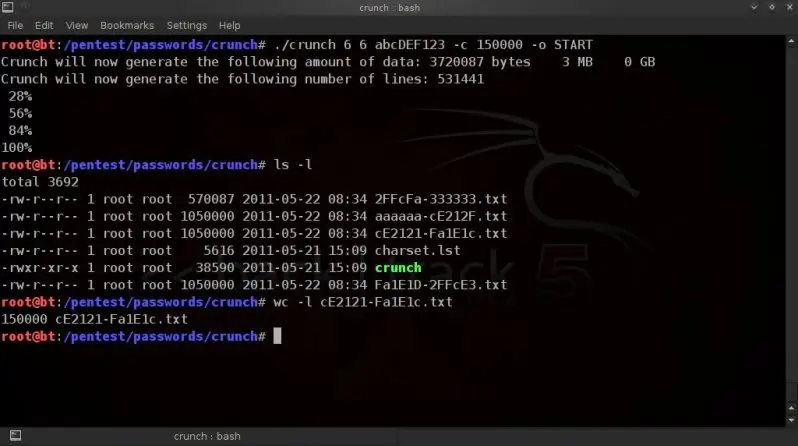
The output files will be named after the first and last entry in the wordlists.
STOPPING CRUNCH WORDLIST GENERATION AT A PRE-DETERMINED TIME
Crunch v3.1 is now also released (20-07-2011) and with it comes the new -e switch.
This option allows you to specify when you want the wordlist generation to stop.
So the below example will start creating the 6 character numeric wordlist, but will stop at 333333 ;
./crunch 6 6 -t %%%%%% -e 333333
USING FIXED CHARACTER SETS
Crunch also comes with fixed character sets in charset.lst which is included in the installation.
(also found in directory /pentest/passwords/crunch/ )
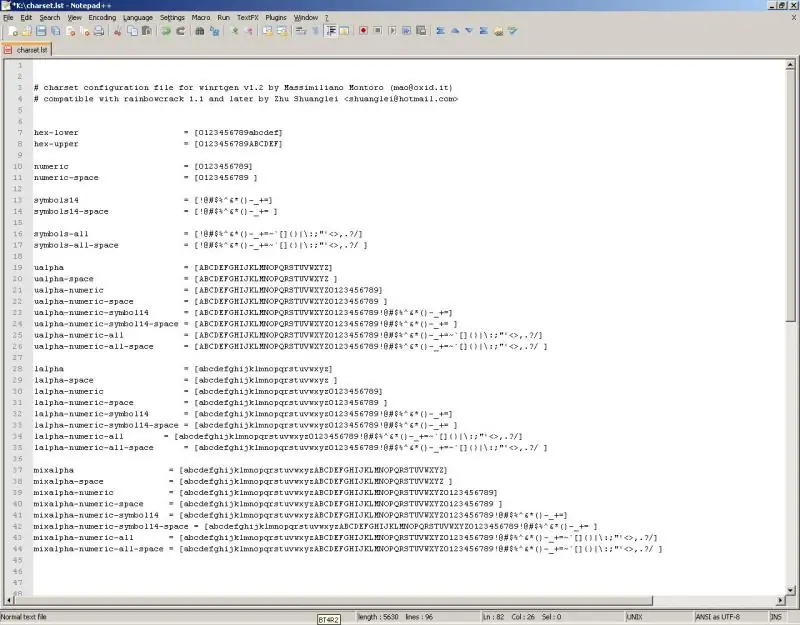
This saves on the typing (and typoes) when dealing with standard character sets.
To use the fixed characters sets, instead of typing in character sets manually in the command line,
you can use the -f switch to specify which character set we want to use ;
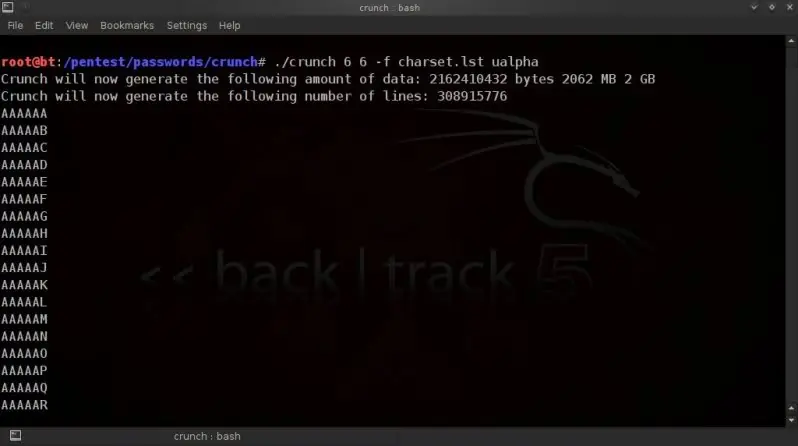
To use only upper case alpha characters;
./crunch 6 6 -f charset.lst ualpha
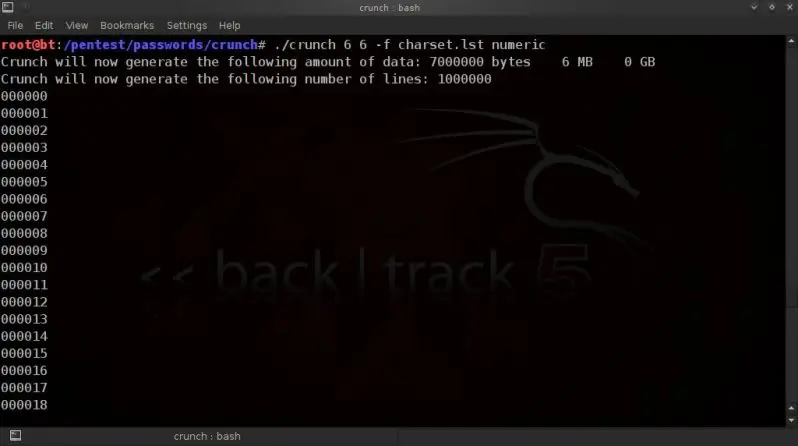
To use only numeric characters ;
./crunch 6 6 -f charset.lst numeric
To use hexidecimal characters (with uppercase alpha values) ;
./crunch 8 8 -f charset.lst hex-upper
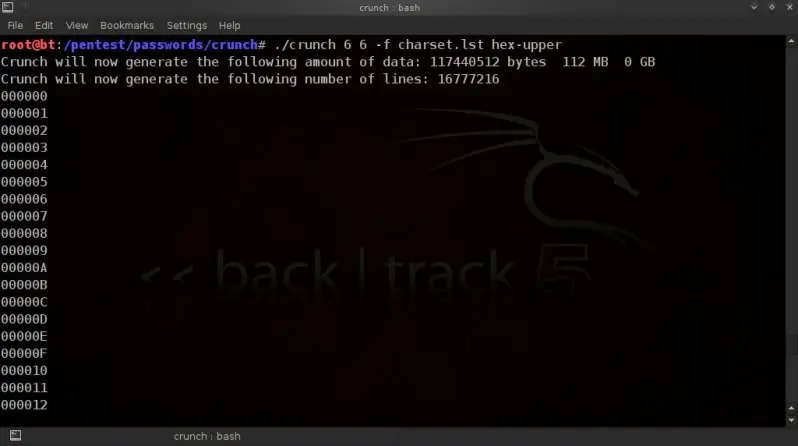
To use lower case, uppercase, numeric & special characters (beware of the size ! Don't try to save..lol..) ;
./crunch 8 8 -f charset.lst mixalpha-numeric-all-space
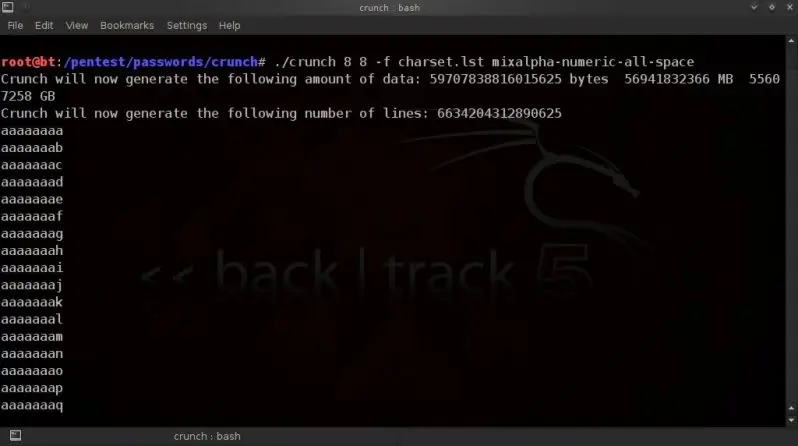
etc.
etc.
Since v2.7 additional Swedish character support has also been added for our Swedish brethren, nicely contributed by Niclas Kroon.
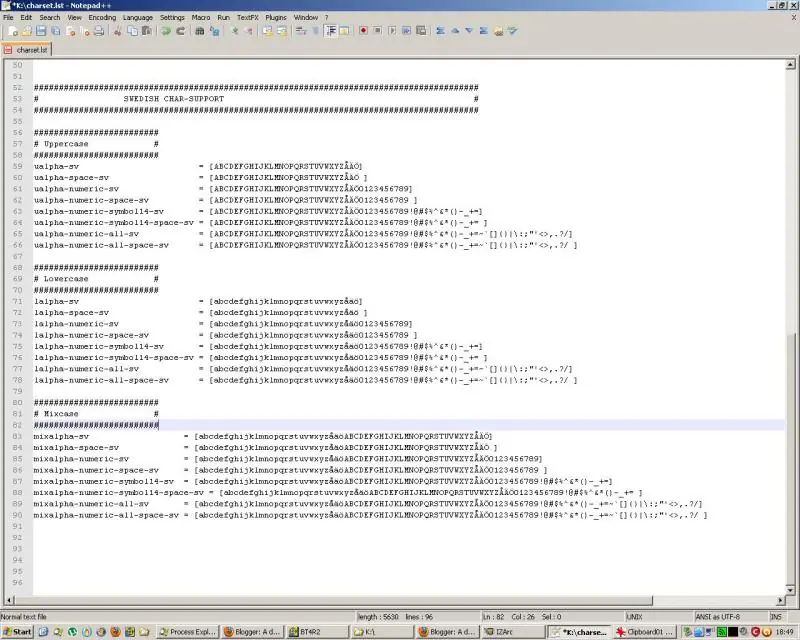
t should be noted that you can easily create your own custom charset by simply including a line in the same format.
If you for instance know that your target has a certain medical condition known as 133tsp34k, and you have an idea of which letters/numbers are usually used (forum posts etc. etc.) , you could simply include an extra line such as ;
1337 = [4bcd3f9hijk1mn0pqr$7uvwxyz]
Doubt the above is authentic enough, but I'm sure you get the idea.
Then just run in crunch as you would any other charset;
./crunch 4 4 -f charset.lst 1337
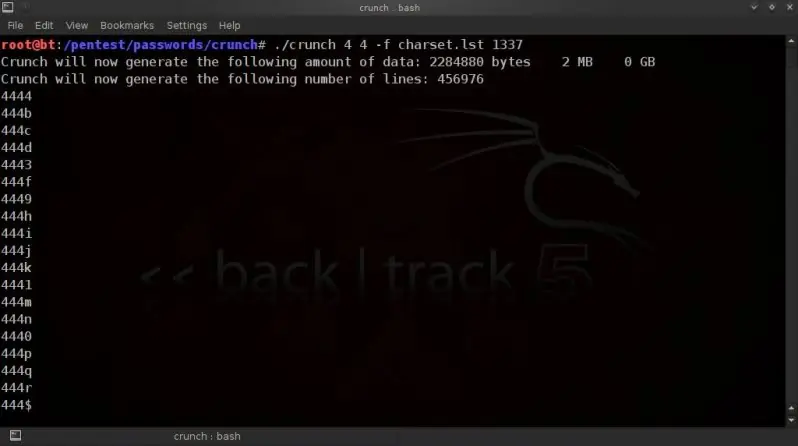
See /pentest/passwords/crunch/charset.lst for all possibilities / charsets currently included.
INVERTING THE OUTPUT DIRECTION
Using the -i option will invert the direction in which the wordlist is created, from left-to-right to right-to-left.
Note that this does not change the content of the created wordlist, it only changes the intial direction in which it is created.
./crunch 4 4 -i
[/quote]
[/b]