Hola!
Este es mi primer post aquí, son códigos webs, una larga recopilación de varios que os pueden ser de utilidad



Redireccionar a otra web
dijo:<?php
header(“Location: http://michanforo.net/”);
?>
//redirecciona a nuestro sitio
Botón para tu web
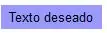
dijo:<input type="button" name="Button" value="Texto deseado" onMouseOver="this.style.color='#000000'" onMouseOut="this.style.color='#000000'" onMouseDown="this.style.color='#000000'" style="color:#000000; font-family:Arial; font-weight:none; font-size:Text Size; background-color:#9999FF;" onClick="MM_goToURL('parent','http://michanforo.net');return document.MM_returnValue">
Popup
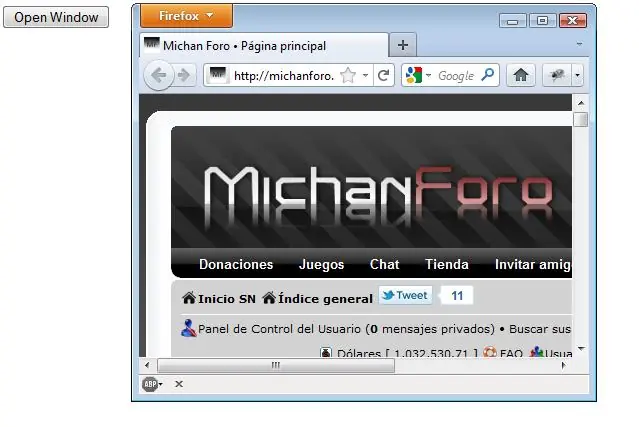
Poner en <HEAD>:
<script language="JavaScript" type="text/javascript">
<!--
function PopWindow()
{
window.open('http://michanforo.net/','MichanForo','width=450,height=300,menubar=yes,scrollbars=yes,toolbar=yes,location=yes,directories=yes,resizable=yes,top=0,left=0');
}
//-->
</script>
En el cuerpo:
<form><input type="button" value="Open Window" onClick="JavaScript
Buscador de Google

dijo:<!-- Búsqueda Google -->
<center>
<FORM method=GET action="http://www.google.com/search">
<TABLE bgcolor="#FFFFFF"><tr><td>
<A HREF="http://www.google.com/">
<IMG SRC="http://www.google.com/logos/Logo_40wht.gif" border="0" ALT="Google" align="absmiddle"></A>
<INPUT TYPE=text name=q size=31 maxlength=255 value="">
<INPUT TYPE=hidden name=hl value=es>
<INPUT type=submit name=btnG VALUE="Búsqueda Google">
</td></tr></TABLE>
</FORM>
</center>
<!-- Búsqueda Google -->
Recomendar Web
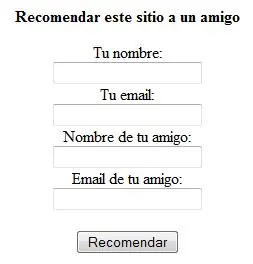
Tenemos que crear 2 paginas, la primera llamada recomienda.php que tiene que contener esto:
dijo:<div align="center"><b>Recomendar este sitio a un amigo</b></div>
<form method="POST" action="recomienda2.php">
<p align="center" class="stle2">Tu nombre:<br>
<input type="text" name="tunombre" size="20" class="texto">
<br>
Tu email:<br>
<input type="text" name="tuemail" size="20" class="texto">
<br>
Nombre de tu amigo:<br>
<input type="text" name="nombreamigo" size="20" class="texto">
<br>
Email de tu amigo:<br>
<input type="text" name="emailamigo" size="20" class="texto">
<br>
<br>
<input type="submit" value="Recomendar" class="form">
</p>
</form>
Y la segunda que nombraremos como recomienda2.php
dijo:<?
$asunto = "Un amigo te recomienda <a href="visitar.php?http://www.tuweb.com" target="_blank">www.tuweb.com</a>";
$mensaje = "Hola ".$nombreamigo.", tu amigo ".$tunombre." recomienda
que ingreses al sitio <a href="visitar.php?http://www.tuweb.com" target="_blank">http://www.tuweb.com</a>, en el cual podrás encontrar
[Las cosas que haya]...";
mail($emailamigo, $asunto, $mensaje, "From: ".$tuemail);
?>
<div align="center"><b>La referencia a nuestro sitio ha sido enviada. <br>
Gracias por recomendarnos</b><a href="index.php"><br>
<br>
Volver</a> </div>
Si llamas la segunda de otra forma, deberas modificar del primer codigo la parte de action="recomienda2.php" concretamente la de recomienda2.php por el nombre que vaya a tener la pagina.
Subrayar link al pasar ratón
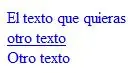
dijo:<STYLE type="text/css">
<!--
A:link {COLOR: red; TEXT-DECORATION: none}
A:visited {COLOR: gray; TEXT-DECORATION: none}
A:active {TEXT-DECORATION: none}
A:hover {COLOR: blue; TEXT-DECORATION: underline} -->
</STYLE>
</p>
<p><a href="l1.htm">El texto que quieras</a><br>
<a href="l2.htm">otro texto</a><br>
<a href="l3.htm">Otro texto</a><br>
</p>
No dejar seleccionar texto
<script language="Javascript">
<!-- Begin
function disableselect(e){
return false
}
function reEnable(){
return true
}
document.onselectstart=new Function ("return false"
if (window.sidebar){
document.onmousedown=disableselect
document.onclick=reEnable
}
// End -->
</script>
Establecer página de inicio
dijo:<a href="http://www.michanforo.net#" onclick="this.style.behavior='url(#default#homepage)';this.setHomePage('http://www.michanforo.net');"style="cursor: hand">Haznos tu página de inicio</a>
Mensaje de bienvenida
<Script language="JavaScript">
mensagem = prompt("Por favor, ingresa tu nombre",'');
if (mensagem==null) {
document.write("¡Hola, visitante!"
}else{
if (mensagem=='') {
document.write("<b><font face=arial size=2 color=#000000>¡Hola, visitante!</font></b>"
}else{
document.write("<b><font face=arial size=2 color=#000000>¡Hola"+mensagem+"! Bienvenido a mi sitio</font></b>"
}
}
</script>
Menú desplegable
En el head:
dijo:<style>
button {width: 150px}
.botonMenuDespl {margin-left: 5px; width: 120px}
.AereosVisible {visibility: "visible"; margin-bottom: -15px}
.AereosOculto {visibility: "hidden"; margin-top: -190px}
.MarinosVisible {visibility: "visible"; margin-bottom: -15px}
.MarinosOculto {visibility: "hidden"; margin-top: -160px}
.TerrestresVisible {visibility: "visible"; margin-bottom: -15px}
.TerrestresOculto {visibility: "hidden"; margin-top: -130px}
</style>
<script>
function Menu(id_Div,nombre) {
if(id_Div.className == nombre + "Oculto"
id_Div.className = nombre + "Visible";
} else {
id_Div.className = nombre + "Oculto";
}
}
</script>
En el body:
dijo:<button onclick="Menu(DivAereos, 'Aereos')">Vehículos aéreos</button><br>
<div id=DivAereos class=AereosOculto>
<br>
<table cellspacing=0>
<tr>
<td><span style="font: 15pt comic sans ms; color: #AAAAFF">»</span></td>
<td><button class=BotonMenuDespl>Transportes</button></td>
</tr>
<tr>
<td><span style="font: 15pt comic sans ms; color: #AAAAFF">»</span></td>
<td><button class=BotonMenuDespl>Deportivos</button></td>
</tr>
<tr>
<td><span style="font: 15pt comic sans ms; color: #AAAAFF">»</span></td>
<td><button class=BotonMenuDespl>Militares</button></td>
</tr>
<tr>
<td><span style="font: 15pt comic sans ms; color: #AAAAFF">»</span></td>
<td><button class=BotonMenuDespl>Helicópteros</button></td>
</tr>
<tr>
<td><span style="font: 15pt comic sans ms; color: #AAAAFF">»</span></td>
<td><button class=BotonMenuDespl>Planeadores</button></td>
</tr>
</table>
</div>
<br><br>
<button onclick="Menu(DivMarinos, 'Marinos')">Vehículos marinos</button><br>
<div id=DivMarinos class=MarinosOculto>
<br>
<table cellspacing=0>
<tr>
<td><span style="font: 15pt comic sans ms; color: blue">»</span></td>
<td><button class=BotonMenuDespl>Petroleros</button></td>
</tr>
<tr>
<td><span style="font: 15pt comic sans ms; color: blue">»</span></td>
<td><button class=BotonMenuDespl>Areneros</button></td>
</tr>
<tr>
<td><span style="font: 15pt comic sans ms; color: blue">»</span></td>
<td><button class=BotonMenuDespl>Militares</button></td>
</tr>
<tr>
<td><span style="font: 15pt comic sans ms; color: blue">»</span></td>
<td><button class=BotonMenuDespl>Remolcadores</button></td>
</tr>
</table>
</div>
<br><br>
<button onclick="Menu(DivTerrestres, 'Terrestres')">Vehículos terrestres</button><br>
<div id=DivTerrestres class=TerrestresOculto>
<br>
<table cellspacing=0>
<tr>
<td><span style="font: 15pt comic sans ms; color: brown">»</span></td>
<td><button class=BotonMenuDespl>Automóviles</button></td>
</tr>
<tr>
<td><span style="font: 15pt comic sans ms; color: brown">»</span></td>
<td><button class=BotonMenuDespl>Ómnibus</button></td>
</tr>
<tr>
<td><span style="font: 15pt comic sans ms; color: brown">»</span></td>
<td><button class=BotonMenuDespl>Motocicletas</button></td>
</tr>
</table>
</div>
Aqui, como era mucho trabajo, ya os digo que lo que se puede cambiar el lo de font, cellspacing, color...! Y, evidentemente, el texto!!
Calendario
<SCRIPT LANGUAGE="JavaScript">
<!-- Mas scripts en http://www.creatupropiaweb.com -->
<!-- Begin
var now = new Date();
var month_array = new Array("january","february","march","April","May","June","July","August","September","October","November","December"
document.write("<form name=date_list><table bgcolor=silver><tr><td>"
document.write("<select name=month onchange=change_month(this.options.selectedIndex)>"
for(i=0;i<month_array.length;i++)
{
if (now.getMonth() != i)
{document.write ("<option value="+i+">"+month_array);}
else
{document.write ("<option value="+i+" selected>"+month_array);}
}
document.write("</select>"
document.write("</td><td>"
document.write ("<select name=year onchange=change_year(this.options[this.options.selectedIndex])>"
for(i=1950;i<3000;i++)
{
if (now.getYear() != i)
{document.write("<option value="+i+">"+i);}
else
{document.write("<option value="+i+" selected>"+i);}
}
document.write("</select></td></tr><tr><td colspan=2><center>"
document.write("<table bgcolor=white border=0 cellspacing = 0 cellpading = 0 width=100%><tr bgcolor=gray align=center>"
document.write("<td><font color=silver>M</font></td><td><font color=silver>T</td><td><font color=silver>W</td><td><font color=silver>T</td><td><font color=silver>F</td><td ><font color=silver>S</td><td ><font color=silver>S</td>"
document.write("</tr><tr>"
for(j=0;j<6;j++)
{
for(i=0;i<7;i++)
{
document.write("<td align=center id=d"+i+"r"+j+"></td>"
}
document.write("</tr>"
}
document.write("</table>"
document.write("</center></from></td></tr></table>"
var show_date = new Date();
function set_cal(show_date)
{
begin_day = new Date (show_date.getYear(),show_date.getMonth(),1);
begin_day_date = begin_day.getDay();
end_day = new Date (show_date.getYear(),show_date.getMonth()+1,1);
count_day = (end_day - begin_day)/1000/60/60/24;
input_table(begin_day_date,count_day);
}
set_cal(show_date);
function input_table(begin,count)
{
init();
j=0;
if (begin!=0){i=begin-1;}else{i=6}
for (c=1;c<count+1;c++)
{
colum_name = eval("d"+i+"r"+j);
if ((now.getDate() == c)&&(show_date.getMonth() == now.getMonth())&&(show_date.getYear() == now.getYear())) {colum_name.style.backgroundColor = "blue";colum_name.style.color = "white";};
colum_name.innerText = c;
i++;
if (i==7){i=0;j++;}
}
}
function init()
{
for(j=0;j<6;j++)
{
for(i=0;i<7;i++)
{
colum_name = eval("d"+i+"r"+j);
colum_name.innerText = "-";
colum_name.style.backgroundColor ="";
colum_name.style.color ="";
}
}
}
function change_month(sel_month)
{
show_date = new Date(show_date.getYear(),sel_month,1);
set_cal(show_date);
}
function change_year(sel_year)
{
sel_year = sel_year.value;
show_date = new Date(sel_year,show_date.getMonth(),1);
set_cal(show_date);
}
// End -->
</script>
Efecto nieve
<script language="JavaScript1.2">
/******************************************
* Snow Effect Script- By Altan d.o.o. ([email protected], http://www.altan.hr/snow/index.html)
* Visit Dynamic Drive (http://www.dynamicdrive.com/) for full source code
* Modified Dec 31st, 02' by DD. This notice must stay intact for use
******************************************/
//Configure below to change URL path to the snow image
var snowsrc="snow.gif"
// Configure below to change number of snow to render
var no = 10;
var ns4up = (document.layers) ? 1 : 0; // browser sniffer
var ie4up = (document.all) ? 1 : 0;
var ns6up = (document.getElementById&&!document.all) ? 1 : 0;
var dx, xp, yp; // coordinate and position variables
var am, stx, sty; // amplitude and step variables
var i, doc_width = 800, doc_height = 600;
if (ns4up||ns6up) {
doc_width = self.innerWidth;
doc_height = self.innerHeight;
} else if (ie4up) {
doc_width = document.body.clientWidth;
doc_height = document.body.clientHeight;
}
dx = new Array();
xp = new Array();
yp = new Array();
am = new Array();
stx = new Array();
sty = new Array();
for (i = 0; i < no; ++ i) {
dx = 0; // set coordinate variables
xp = Math.random()*(doc_width-50); // set position variables
yp = Math.random()*doc_height;
am = Math.random()*20; // set amplitude variables
stx = 0.02 + Math.random()/10; // set step variables
sty = 0.7 + Math.random(); // set step variables
if (ns4up) { // set layers
if (i == 0) {
document.write("<layer name="dot"+ i +"" left="15" top="15" visibility="show"><a href="http://dynamicdrive.com/"><img src='"+snowsrc+"' border="0"></a></layer>"
} else {
document.write("<layer name="dot"+ i +"" left="15" top="15" visibility="show"><img src='"+snowsrc+"' border="0"></layer>"
}
} else if (ie4up||ns6up) {
if (i == 0) {
document.write("<div id="dot"+ i +"" style="POSITION: absolute; Z-INDEX: "+ i +"; VISIBILITY: visible; TOP: 15px; LEFT: 15px;"><a href="http://dynamicdrive.com"><img src='"+snowsrc+"' border="0"></a></div>"
} else {
document.write("<div id="dot"+ i +"" style="POSITION: absolute; Z-INDEX: "+ i +"; VISIBILITY: visible; TOP: 15px; LEFT: 15px;"><img src='"+snowsrc+"' border="0"></div>"
}
}
}
function snowNS() { // Netscape main animation function
for (i = 0; i < no; ++ i) { // iterate for every dot
yp += sty;
if (yp > doc_height-50) {
xp = Math.random()*(doc_width-am-30);
yp = 0;
stx = 0.02 + Math.random()/10;
sty = 0.7 + Math.random();
doc_width = self.innerWidth;
doc_height = self.innerHeight;
}
dx += stx;
document.layers["dot"+i].top = yp;
document.layers["dot"+i].left = xp + am*Math.sin(dx);
}
setTimeout("snowNS()", 10);
}
function snowIE_NS6() { // IE and NS6 main animation function
for (i = 0; i < no; ++ i) { // iterate for every dot
yp += sty;
if (yp > doc_height-50) {
xp = Math.random()*(doc_width-am-30);
yp = 0;
stx = 0.02 + Math.random()/10;
sty = 0.7 + Math.random();
doc_width = ns6up?window.innerWidth : document.body.clientWidth;
doc_height = ns6up?window.innerHeight : document.body.clientHeight;
}
dx += stx;
if (ie4up){
document.all["dot"+i].style.pixelTop = yp;
document.all["dot"+i].style.pixelLeft = xp + am*Math.sin(dx);
}
else if (ns6up){
document.getElementById("dot"+i).style.top=yp;
document.getElementById("dot"+i).style.left=xp + am*Math.sin(dx);
}
}
setTimeout("snowIE_NS6()", 10);
}
if (ns4up) {
snowNS();
} else if (ie4up||ns6up) {
snowIE_NS6();
}
</script>
Ahorcado [Juego]
<SCRIPT LANGUAGE="javascript">
<!-- Mas trucos y scripts en http://www.javascript.com.mx -->
/*
Por Mike McGrath http://website.lineone.net/~mike_mcgrath
Adaptado y traducido al castellano por Ricardo Corduente - Mundogif (http:/www.mundogif.com)
http://www.mundogif.com Miles de recursos gratuitos para tu web
Este y otros muchos JavaScript los puedes encontrar en
MundoJavaScript.com http://www.mundojavascript.com
*/
var alpha=new Array();
var alpha_index=0;
var bravo=new Array();
var bravo_index=0;
var running=0;
var failnum=0;
var advising=0;
function pick()
{
var choice="";
var blank=0;
for (i=0; i<words[index].length; i++)
{
t=0;
for(j=0; j<=alpha_index; j++)
if(words[index].charAt(i)==alpha[j] || words[index].charAt(i)==alpha[j].toLowerCase()) t=1;
if (t) choice+=words[index].charAt(i)+" ";
else
{
choice+="_ ";
blank=1;
}
}
document.f.word.value=choice;
if (!blank)
{
document.f.tried.value=" === ¡Tu ganas! ===";
document.f.score.value++;
running=0;
}
}
function new_word(form)
{
if(!running)
{
running=1;
failnum=0;
form.lives.value=failnum;
form.tried.value="";
form.word.value="";
index=Math.round(Math.random()*10000) % 100;
alpha[0]=words[index].charAt(0);
alpha[1]=words[index].charAt(words[index].length-1);
alpha_index=1;
bravo[0]=words[index].charAt(0);
bravo[1]=words[index].charAt(words[index].length-1);
bravo_index=1;
pick();
}
else advise("A word is already in play!"
}
function seek(letter)
{
if (!running) advise(".....Click GO to start !"
else
{
t=0;
for (i=0; i<=bravo_index; i++)
{
if (bravo==letter || bravo==letter.toLowerCase()) t=1;
}
if (!t)
{
document.f.tried.value+=letter+" "
bravo_index++;
bravo[bravo_index]=letter;
for(i=0;i<words[index].length;i++)
if(words[index].charAt(i)==letter || words[index].charAt(i)==letter.toLowerCase()) t=1;
if(t)
{
alpha_index++;
alpha[alpha_index]=letter;
}
else failnum++;
document.f.lives.value=failnum;
if (failnum==6)
{
document.f.tried.value="Tu pierdes - Prueba de nuevo";
document.f.word.value=words[index];
document.f.score.value--;
running=0;
}
else pick();
}
else advise("La letra "+letter+" ya la has puesto"
}
}
function advise(msg)
{
if (!advising)
{
advising=-1;
savetext=document.f.tried.value;
document.f.tried.value=msg;
window.setTimeout("document.f.tried.value=savetext; advising=0;",1000);
}
}
var words = new Array("","abanderado","adrenalina","advenedizo","aglutinado","agotamiento","articulado","autoridad","benefactor","bachiller","borrachera",
"caprichosa","cenicienta","chatarrero","conglomerado","comestible","considerado","consolidar","concluyente","consecutivo","considerado","diferencial",
"distorsionado","determinante","diabloanton","diferencia","diseñador","economista","efectividad","encontradizo","escafandra","extinguido","extraditado","fastidioso",
"fisonomista","formulario","funeraria","gesticular","habilidoso","homologado","humanitario","ilusionista","infalibilidad","luminiscencia","misterioso",
"motocicleta","magistrado","michanforo","navegador","obligatorio","obsequiosa","observatorio","opalescente","ostensible","pasamontañas","parafernalia",
"paquidermo","peregrinaje","perentorio","parafernalia","pernicioso","perpetrado","personalidad","piramidal","practicante","precipitous","predicamento",
"prehistoria","presuntuoso","prevaricadora","profesional","provisional","putrefacto","ramillete","querellante","reciprocidad","recrudecimiento",
"redundante","relampaguear","remilgadamente","reminiscencia","represalia","resolutiva","resplandecer","reorganizada","regañadientes","retribucion",
"sacacorchos","salubridad","señalizado","sexagenario","singularizar","tambalearse","transcribir","turbulencia","unanimidad","usufructuaria","vaporizador",
"vehemencia","veracidad","ventilador","xenofobia","zambullirse"
</SCRIPT>
<FORM NAME="f">
<div align="center"></div>
<TABLE BGCOLOR=#C0C0C0 BORDER=1 align="center">
<TR>
<TD COLSPAN=4 ALIGN=RIGHT>
<div align="center">Marcador :
<INPUT TYPE=TEXT NAME="score" VALUE="0" onfocus="score.blur();" SIZE=2>
<BR>
Fallos (6):
<INPUT TYPE=TEXT NAME="lives" VALUE="0" onfocus="lives.blur();" SIZE=2>
</div>
</TD>
<TD COLSPAN=7 ALIGN=CENTER>
<div align="center">
<INPUT TYPE=TEXT NAME="word" VALUE=" --- Ahorcado---" onfocus="word.blur();" SIZE=25>
<BR>
<INPUT TYPE=TEXT NAME="tried" VALUE="Pulsa OTRA para empezar" onfocus="tried.blur();" SIZE=25>
</div>
</TD>
<TD COLSPAN=2 ALIGN=CENTER>
<div align="center">
<INPUT TYPE=BUTTON onclick="new_word(this.form);" VALUE=" OTRA">
</div>
</TD>
</TR>
<TR>
<TD>
<div align="center">
<INPUT TYPE=BUTTON VALUE=" A " onclick="seek('A');">
</div>
</TD>
<TD>
<div align="center">
<INPUT TYPE=BUTTON VALUE=" B " onclick="seek('B');">
</div>
</TD>
<TD>
<div align="center">
<INPUT TYPE=BUTTON VALUE=" C " onclick="seek('C');">
</div>
</TD>
<TD>
<div align="center">
<INPUT TYPE=BUTTON VALUE=" D " onclick="seek('D');">
</div>
</TD>
<TD>
<div align="center">
<INPUT TYPE=BUTTON VALUE=" E " onclick="seek('E');">
</div>
</TD>
<TD>
<div align="center">
<INPUT TYPE=BUTTON VALUE=" F " onclick="seek('F');">
</div>
</TD>
<TD>
<div align="center">
<INPUT TYPE=BUTTON VALUE=" G " onclick="seek('G');">
</div>
</TD>
<TD>
<div align="center">
<INPUT TYPE=BUTTON VALUE=" H " onclick="seek('H');">
</div>
</TD>
<TD>
<div align="center">
<INPUT TYPE=BUTTON VALUE=" I " onclick="seek('I');">
</div>
</TD>
<TD>
<div align="center">
<INPUT TYPE=BUTTON VALUE=" J " onclick="seek('J');">
</div>
</TD>
<TD>
<div align="center">
<INPUT TYPE=BUTTON VALUE=" K " onclick="seek('K');">
</div>
</TD>
<TD>
<div align="center">
<INPUT TYPE=BUTTON VALUE=" L " onclick="seek('L');">
</div>
</TD>
<TD>
<div align="center">
<INPUT TYPE=BUTTON VALUE=" M " onclick="seek('M');">
</div>
</TD>
</TR>
<TR>
<TD>
<div align="center">
<INPUT TYPE=BUTTON VALUE=" N " onclick="seek('N');">
</div>
</TD>
<TD>
<div align="center">
<INPUT TYPE=BUTTON VALUE=" Ñ " onclick="seek('Ñ');">
</div>
</TD>
<TD>
<div align="center">
<INPUT TYPE=BUTTON VALUE=" O " onclick="seek('O');">
</div>
</TD>
<TD>
<div align="center">
<INPUT TYPE=BUTTON VALUE=" P " onclick="seek('P');">
</div>
</TD>
<TD>
<div align="center">
<INPUT TYPE=BUTTON VALUE=" Q " onclick="seek('Q');">
</div>
</TD>
<TD>
<div align="center">
<INPUT TYPE=BUTTON VALUE=" R " onclick="seek('R');">
</div>
</TD>
<TD>
<div align="center">
<INPUT TYPE=BUTTON VALUE=" S " onclick="seek('S');">
</div>
</TD>
<TD>
<div align="center">
<INPUT TYPE=BUTTON VALUE=" T " onclick="seek('T');">
</div>
</TD>
<TD>
<div align="center">
<INPUT TYPE=BUTTON VALUE=" U " onclick="seek('U');">
</div>
</TD>
<TD>
<div align="center">
<INPUT TYPE=BUTTON VALUE=" V " onclick="seek('V');">
</div>
</TD>
<TD>
<div align="center">
<INPUT TYPE=BUTTON VALUE=" X " onclick="seek('X');">
</div>
</TD>
<TD>
<div align="center">
<INPUT TYPE=BUTTON VALUE=" Y " onclick="seek('Y');">
</div>
</TD>
<TD>
<div align="center">
<INPUT TYPE=BUTTON VALUE=" Z " onclick="seek('Z');">
</div>
</TD>
</TR>
</TABLE> <div align="center"></div>
</FORM>
Calculadora
<form action name="Keypad">
<b>
<div align="center">
<table border="2" cellpadding="1" cellspacing="5" height="60" width="50">
<tbody>
<tr>
<td align="middle" colspan="3"><input name="ReadOut" size="24" value="0" width="100%" style="text-align: right" /></td>
<td> </td>
<td align="center"><input name="btnClear" onclick="Clear()" type="button" value=" C " /></td>
<td align="center"><input name="btnClearEntry" onclick="ClearEntry()" type="button" value=" CE " /></td>
</tr>
<tr>
<td align="center"><input name="btnSeven" onclick="NumPressed(7)" type="button" value=" 7 " /></td>
<td align="center"><input name="btnEight" onclick="NumPressed(8)" type="button" value=" 8 " /></td>
<td align="center"><input name="btnNine" onclick="NumPressed(9)" type="button" value=" 9 " /></td>
<td align="center"> </td>
<td align="center"><input name="btnNeg" onclick="Neg()" type="button" value=" +/- " /></td>
<td align="center"><input name="btnPercent" onclick="Percent()" type="button" value=" % " /></td>
</tr>
<tr>
<td align="center"><input name="btnFour" onclick="NumPressed(4)" type="button" value=" 4 " /></td>
<td align="center"><input name="btnFive" onclick="NumPressed(5)" type="button" value=" 5 " /></td>
<td align="center"><input name="btnSix" onclick="NumPressed(6)" type="button" value=" 6 " /></td>
<td align="center"> </td>
<td align="center"><input name="btnPlus" onclick="Operation('+')" type="button" value=" + " /></td>
<td align="center"><input name="btnMinus" onclick="Operation('-')" type="button" value=" - " /></td>
</tr>
<tr>
<td align="center"><input name="btnOne" onclick="NumPressed(1)" type="button" value=" 1 " /></td>
<td align="center"><input name="btnTwo" onclick="NumPressed(2)" type="button" value=" 2 " /></td>
<td align="center"><input name="btnThree" onclick="NumPressed(3)" type="button" value=" 3 " /></td>
<td align="center"> </td>
<td align="center"><input name="btnMultiply" onclick="Operation('*')" type="button" value=" * " /></td>
<td align="center"><input name="btnDivide" onclick="Operation('/')" type="button" value=" / " /></td>
</tr>
<tr>
<td align="center"><input name="btnZero" onclick="NumPressed(0)" type="button" value=" 0 " /></td>
<td align="center"><input name="btnDecimal" onclick="Decimal()" type="button" value=" . " /></td>
<td colspan="3" align="center"> </td>
<td align="center"><input name="btnEquals" onclick="Operation('=')" type="button" value=" = " /></td>
</tr>
</tbody>
</table>
</div>
</b>
</form>
<script language="Javascript">
<!-- modifica este script para tu uso -->
<!-- puedes cambiar tamaño y color de botones y fondo -->
<!-- Begin
var FKeyPad = document.Keypad;
var Accum = 0;
var FlagNewNum = false;
var PendingOp = "";
function NumPressed (Num) {
if (FlagNewNum) {
FKeyPad.ReadOut.value = Num;
FlagNewNum = false;
}
else {
if (FKeyPad.ReadOut.value == "0"
FKeyPad.ReadOut.value = Num;
else
FKeyPad.ReadOut.value += Num;
}
}
function Operation (Op) {
var Readout = FKeyPad.ReadOut.value;
if (FlagNewNum && PendingOp != "="
else
{
FlagNewNum = true;
if ( '+' == PendingOp )
Accum += parseFloat(Readout);
else if ( '-' == PendingOp )
Accum -= parseFloat(Readout);
else if ( '/' == PendingOp )
Accum /= parseFloat(Readout);
else if ( '*' == PendingOp )
Accum *= parseFloat(Readout);
else
Accum = parseFloat(Readout);
FKeyPad.ReadOut.value = Accum;
PendingOp = Op;
}
}
function Decimal () {
var curReadOut = FKeyPad.ReadOut.value;
if (FlagNewNum) {
curReadOut = "0.";
FlagNewNum = false;
}
else
{
if (curReadOut.indexOf("."
curReadOut += ".";
}
FKeyPad.ReadOut.value = curReadOut;
}
function ClearEntry () {
FKeyPad.ReadOut.value = "0";
FlagNewNum = true;
}
function Clear () {
Accum = 0;
PendingOp = "";
ClearEntry();
}
function Neg () {
FKeyPad.ReadOut.value = parseFloat(FKeyPad.ReadOut.value) * -1;
}
function Percent () {
FKeyPad.ReadOut.value = (parseFloat(FKeyPad.ReadOut.value) / 100) * parseFloat(Accum);
}
// End -->
</script>
Quitar subrayado link
Introducir entre <head> y </head>
dijo:<style>
<!--
a:hover{text-decoration:none;}
a{text-decoration:none;}
-->
</style>
Horóscopo
dijo:<meta content="text/html; charset=iso-8859-1" http-equiv="Content-Type" />
<p align="center"><font color="#999999"><strong><font class="navtext"><font style="font-size: 9pt" face="Verdana">HORÓSCOPO</font><font class="content" size="1"><br />
</font></font><font class="navtext"><font face="Verdana" size="1">Descubre Tu Destino Para</font><font class="navtext"><br />
</font><font face="Verdana" size="1"><font class="navtext">El Dia de Hoy</font><br />
</font></font></strong></font><strong><font class="navtext" color="#ffffff"><font face="Verdana" color="#ffae00" size="1"><br />
</font><select style="border-right: 1px solid; padding-right: 6px; border-top: 1px solid; padding-left: 5px; font-weight: bold; font-size: 8pt; visibility: visible; padding-bottom: 1px; border-left: 1px solid; color: #ff0000; padding-top: 1px; border-bottom: 1px solid; font-family: Verdana; background-color: #000000" size="1" onchange="if(this.options[1].selected) window.open('http://www.horoscopofree.com/misc/partnership/iframe/aries_st.html','hrscp','width=460,height=100,top=150,left=175,scrolling=0,frameborder=0,status=0,menubar=0,scrollbars=0');
else if(this.options[2].selected) window.open('http://www.horoscopofree.com/misc/partnership/iframe/taurus_st.html','hrscp','width=460,height=100,top=150,left=175,scrolling=0,frameborder=0,status=0,menubar=0,scrollbars=0');
else if(this.options[3].selected) window.open('http://www.horoscopofree.com/misc/partnership/iframe/gemini_st.html','hrscp','width=460,height=100,top=150,left=175,scrolling=0,frameborder=0,status=0,menubar=0,scrollbars=0');
else if(this.options[4].selected) window.open('http://www.horoscopofree.com/misc/partnership/iframe/cancer_st.html','hrscp','width=460,height=100,top=150,left=175,scrolling=0,frameborder=0,status=0,menubar=0,scrollbars=0');
else if(this.options[5].selected) window.open('http://www.horoscopofree.com/misc/partnership/iframe/leo_st.html','hrscp','width=460,height=100,top=150,left=175,scrolling=0,frameborder=0,status=0,menubar=0,scrollbars=0');
else if(this.options[6].selected) window.open('http://www.horoscopofree.com/misc/partnership/iframe/virgo_st.html','hrscp','width=460,height=100,top=150,left=175,scrolling=0,frameborder=0,status=0,menubar=0,scrollbars=0');
else if(this.options[7].selected) window.open('http://www.horoscopofree.com/misc/partnership/iframe/libra_st.html','hrscp','width=460,height=100,top=150,left=175,scrolling=0,frameborder=0,status=0,menubar=0,scrollbars=0');
else if(this.options[8].selected) window.open('http://www.horoscopofree.com/misc/partnership/iframe/scorpio_st.html','hrscp','width=460,height=100,top=150,left=175,scrolling=0,frameborder=0,status=0,menubar=0,scrollbars=0');
else if(this.options[9].selected) window.open('http://www.horoscopofree.com/misc/partnership/iframe/sagittarius_st.html','hrscp','width=460,height=100,top=150,left=175,scrolling=0,frameborder=0,status=0,menubar=0,scrollbars=0');
else if(this.options[10].selected) window.open('http://www.horoscopofree.com/misc/partnership/iframe/capricorn_st.html','hrscp','width=460,height=100,top=150,left=175,scrolling=0,frameborder=0,status=0,menubar=0,scrollbars=0');
else if(this.options[11].selected) window.open('http://www.horoscopofree.com/misc/partnership/iframe/aquarius_st.html','hrscp','width=460,height=100,top=150,left=175,scrolling=0,frameborder=0,status=0,menubar=0,scrollbars=0');
else if(this.options[12].selected) window.open('http://www.horoscopofree.com/misc/partnership/iframe/pisces_st.html','hrscp','width=460,height=100,top=150,left=175,scrolling=0,frameborder=0,status=0,menubar=0,scrollbars=0');" name="SucreVip">
<option selected="selected">Elige tu signo</option>
<option>Aries</option>
<option>Tauro</option>
<option>Geminis</option>
<option>Cancer</option>
<option>Leo</option>
<option>Virgo</option>
<option>Libra</option>
<option>Escorpio</option>
<option>Sagitario</option>
<option>Capricornio</option>
<option>Acuario</option>
<option>Piscis</option>
</select>
<tr>
</tr>
<td class="edit_rb_footer" id="edit_rb_footer_1" height="27" background="http://80.190.202.79/designs/iceblue/images/poll_bottom_bg.gif"> </td>
</font></strong></p>
Saludador
dijo:<img src="http://www.crearwebgratis.com/saludadorweb/saludador.php?saludador=1&web=Mi web" _fcksavedurl="http://www.crearwebgratis.com/saludadorweb/saludador.php?saludador=1&web=Mi web" alt="Bienvenido a mi web" border="0">
Google Earth
dijo:<embed src="http://xfacts.com/widgets/map.swf" quality="high" pluginspage="http://www.macromedia.com/go/getflashplayer" type="application/x-shockwave-flash" width="700" height="550"></embed>
Simple Rotador de imágenes
Insertar entre <head> y </head>:
<script language="Javascript" type="text/javascript">
mis_imagenes = new Array("url de imagen 1 ","url de imagen 2 ","url de imagen 3"
mi_imagen = 0
imgCt = mis_imagenes.length
function rotacion() {
if (document.images) {
mi_imagen++
if (mi_imagen == imgCt) {
mi_imagen = 0
}
document.anuncio.src=mis_imagenes[mi_imagen]
setTimeout("rotacion()", 3 * 1000)
}
}
</script>
E insertar entre <body> y </body>
dijo:<body bgcolor="#FFFFFF" onload="rotacion()">
<center>
<img src="url imagen" name="anuncio" alt="Anuncios" />
</center>
</body>
Mantener misma URL en la barra de dirección
dijo:<frameset rows="100%">
<frame name="principal" src="url página principal" marginwidth="0"
marginheight="0" scrolling="auto" frameborder="0" noresize>
</frameset>
Imágenes aleatorias
dijo:<?php
$var[1]= '<img src="1.png" />';
$var[2] = '<img src="2.png" />';
$var[3] = '<img src="3.png" />';
echo $var[mt_rand(1,count($var))];
?>
Todo lo rojo (y más) se puede cambiar
Espero que les guste y, sobretodo, que les haya sido útil