Como desinstalar cortana
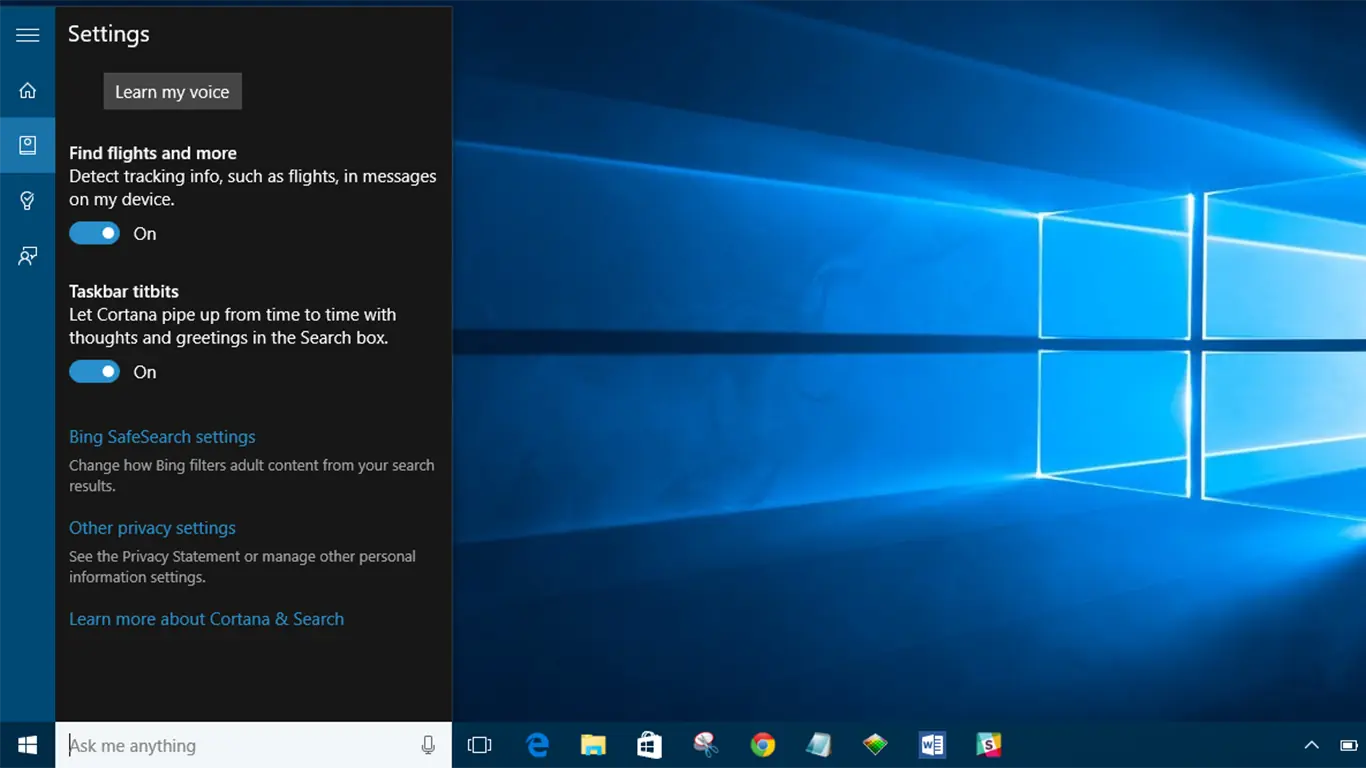
Existen varios metodos, voy a poner los mas generales:
Metodo 1: Noel Carboni, ProDigital Software
Este metodo usa un script, creado por dicha persona.
Advertencia: DESINSTALA PERMANENTEMENTE LAS "MODERN APPS" (Es decir, el tiempo, noticias, etc)
Se debe bajar estos archivos (NO ES NADA ILEGAL!!): http://noel.prodigitalsoftware.com/files/Tools.zip
Una vez bajado el archivo, lo descomprimen en una carpeta
Luego, bajan estos 2 archivos:
SQLite3.exe ( https://www.sqlite.org/download.html )
SetACL.exe ( )
Y los ponen en la carpeta donde descomprimieron lo anterior. Luego ejecutan "CortanaAndAppsRemoval.bat" y siguen las instrucciones en pantalla
Metodo 2: WIM TWEAK NET 4.6 (PARA BUILD 14257)
Para este metodo, debemos bajar el siguiente archivo (NO LO ABRAN!)
Luego, en la misma carpeta en donde esta el archivo que bajaron, crean un archivo de texto con el nombre "10Cortana_Search2.cmd" Y PEGAN DENTRO LO SIGUIENTE:
@echo off
Color 1F
Title wim_tweak_NET4.6 Uninstall Cortana Search2
SetLocal EnableDelayedExpansion
mode con:cols=140 lines=200
:: BatchGotAdmin
:-------------------------------------
REM --> Check for permissions
>nul 2>&1 "%SYSTEMROOT%system32cacls.exe" "%SYSTEMROOT%system32configsystem"
REM --> If error flag set, we do not have admin.
if '%errorlevel%' NEQ '0' (
echo Requesting administrative privileges...
goto UACPrompt
) else ( goto gotAdmin )
:UACPrompt
echo Set UAC = CreateObject^("Shell.Application"^): echo UAC.ShellExecute "%~s0", "", "", "runas", 1 >> "%temp%getadmin.vbs"
"%temp%getadmin.vbs"
exit /B
:gotAdmin
if exist "%temp%getadmin.vbs" ( del "%temp%getadmin.vbs" )
pushd "%CD%"
CD /D "%~dp0"
Title Uninstall Cortana and Search2
CLS
REM We set Online. Need This
install_wim_tweak_NET4.6.exe /o /l
ECHO.
ECHO.
ECHO CREATED %~dp0Packages.txt
ECHO.
ECHO.
pause
REM We Uninstall the Targets
ECHO Microsoft -Windows-Cortana
install_wim_tweak_NET4.6.exe /o /c Microsoft -OneCore-CortanaComponents-Package~31bf3856ad364e35~amd64~en-US~10.0.14257.1000 /r
install_wim_tweak_NET4.6.exe /o /c Microsoft -OneCore-CortanaComponents-Package~31bf3856ad364e35~amd64~~10.0.14257.1000 /r
install_wim_tweak_NET4.6.exe /o /c Microsoft -OneCore-CortanaComponents-shell-Package~31bf3856ad364e35~amd64~en-US~10.0.14257.1000 /r
install_wim_tweak_NET4.6.exe /o /c Microsoft -OneCore-CortanaComponents-shell-Package~31bf3856ad364e35~amd64~~10.0.14257.1000 /r
install_wim_tweak_NET4.6.exe /o /c Microsoft -OneCore-CortanaComponents-shellcommon-Package~31bf3856ad364e35~amd64~en-US~10.0.14257.1000 /r
install_wim_tweak_NET4.6.exe /o /c Microsoft -OneCore-CortanaComponents-shellcommon-Package~31bf3856ad364e35~amd64~~10.0.14257.1000 /r
install_wim_tweak_NET4.6.exe /o /c Microsoft -OneCore-CortanaComponents-WOW64-Package~31bf3856ad364e35~amd64~en-US~10.0.14257.1000 /r
install_wim_tweak_NET4.6.exe /o /c Microsoft -OneCore-CortanaComponents-WOW64-Package~31bf3856ad364e35~amd64~~10.0.14257.1000 /r
ECHO Microsoft -Windows-Search2
install_wim_tweak_NET4.6.exe /o /c Microsoft -Windows-Search2-base-Package~31bf3856ad364e35~amd64~en-US~10.0.14257.1000 /r
install_wim_tweak_NET4.6.exe /o /c Microsoft -Windows-Search2-base-Package~31bf3856ad364e35~amd64~~10.0.14257.1000 /r
install_wim_tweak_NET4.6.exe /o /c Microsoft -Windows-Search2-Package~31bf3856ad364e35~amd64~en-US~10.0.14257.1000 /r
install_wim_tweak_NET4.6.exe /o /c Microsoft -Windows-Search2-Package~31bf3856ad364e35~amd64~~10.0.14257.1000 /r
install_wim_tweak_NET4.6.exe /o /c Microsoft -Windows-Search2-shell-Package~31bf3856ad364e35~amd64~en-US~10.0.14257.1000 /r
install_wim_tweak_NET4.6.exe /o /c Microsoft -Windows-Search2-shell-Package~31bf3856ad364e35~amd64~~10.0.14257.1000 /r
install_wim_tweak_NET4.6.exe /o /c Microsoft -Windows-Search2-WOW64-base-Package~31bf3856ad364e35~amd64~en-US~10.0.14257.1000 /r
install_wim_tweak_NET4.6.exe /o /c Microsoft -Windows-Search2-WOW64-base-Package~31bf3856ad364e35~amd64~~10.0.14257.1000 /r
install_wim_tweak_NET4.6.exe /o /c Microsoft -Windows-Search2-WOW64-Package~31bf3856ad364e35~amd64~en-US~10.0.14257.1000 /r
install_wim_tweak_NET4.6.exe /o /c Microsoft -Windows-Search2-WOW64-Package~31bf3856ad364e35~amd64~~10.0.14257.1000 /r
install_wim_tweak_NET4.6.exe /o /c Microsoft -Windows-Search2-WOW64-shell-Package~31bf3856ad364e35~amd64~en-US~10.0.14257.1000 /r
install_wim_tweak_NET4.6.exe /o /c Microsoft -Windows-Search2-WOW64-shell-Package~31bf3856ad364e35~amd64~~10.0.14257.1000 /r
REM We hide Online
install_wim_tweak_NET4.6.exe /h /o /l
ECHO.
ECHO Uninstall Cortana complete. Reboot
ECHO Uninstall Search2 complete. Reboot
Pause
Exit
Ejecutan, y luego REINICIAN (SI O SI). Luego de reiniciar pueden quitar del menu inicio el "Buscar", click derecho en el menu inicio --- Buscar --- Oculto
Fin.