Buenas gente de Taringa! les traigo, en mi regreso XD, un script de noticias con el index y noticia completa para que ya puedan visualizarlo.
![[PHP y MYSQL] Script de noticias](https://storage.posteamelo.com/assets-adonis/assets/2018/06/10/859.jpg-XKx9pzyPlDI.webp "[PHP y MYSQL] Script de noticias")
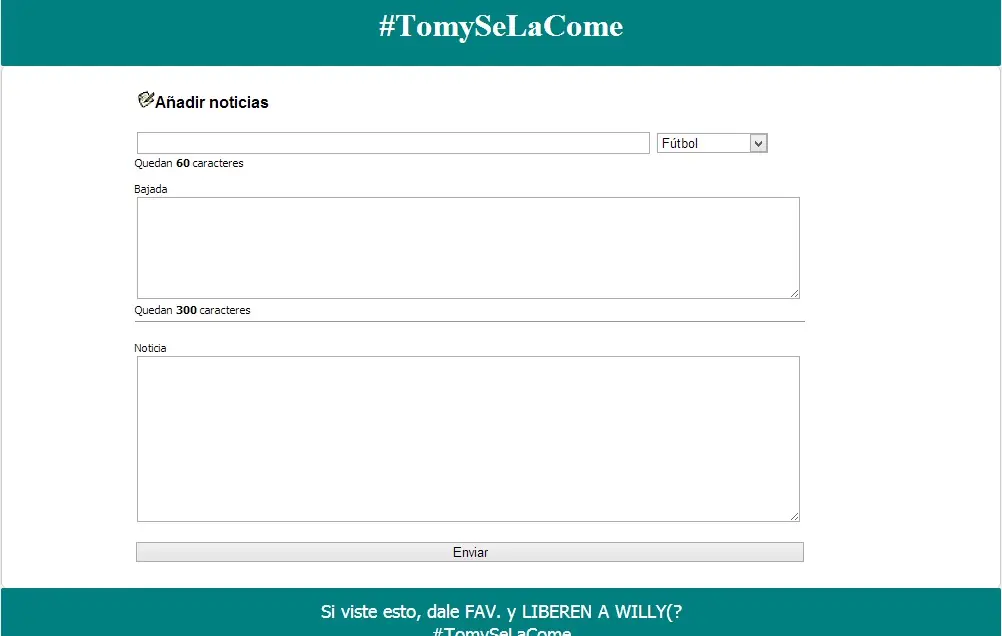
RECUERDEN CHEKEAR ALGUN TUTO BASICO DE PHP Y MYSQL COMO TAMBIÉN DE HTML/CSS
Les dejo uno mío
http://www.taringa.net/posts/hazlo-tu-mismo/16321783/Queres-crear-tu-propia-web-Tutorial-HTML-y-CSS.html
Necesitas una host si no tenes, con este programa podés tener tu propio localhost.
Una vez descargado e instalado, lo iniciamos (RECUERDEN DONDE LO INSTALARON):
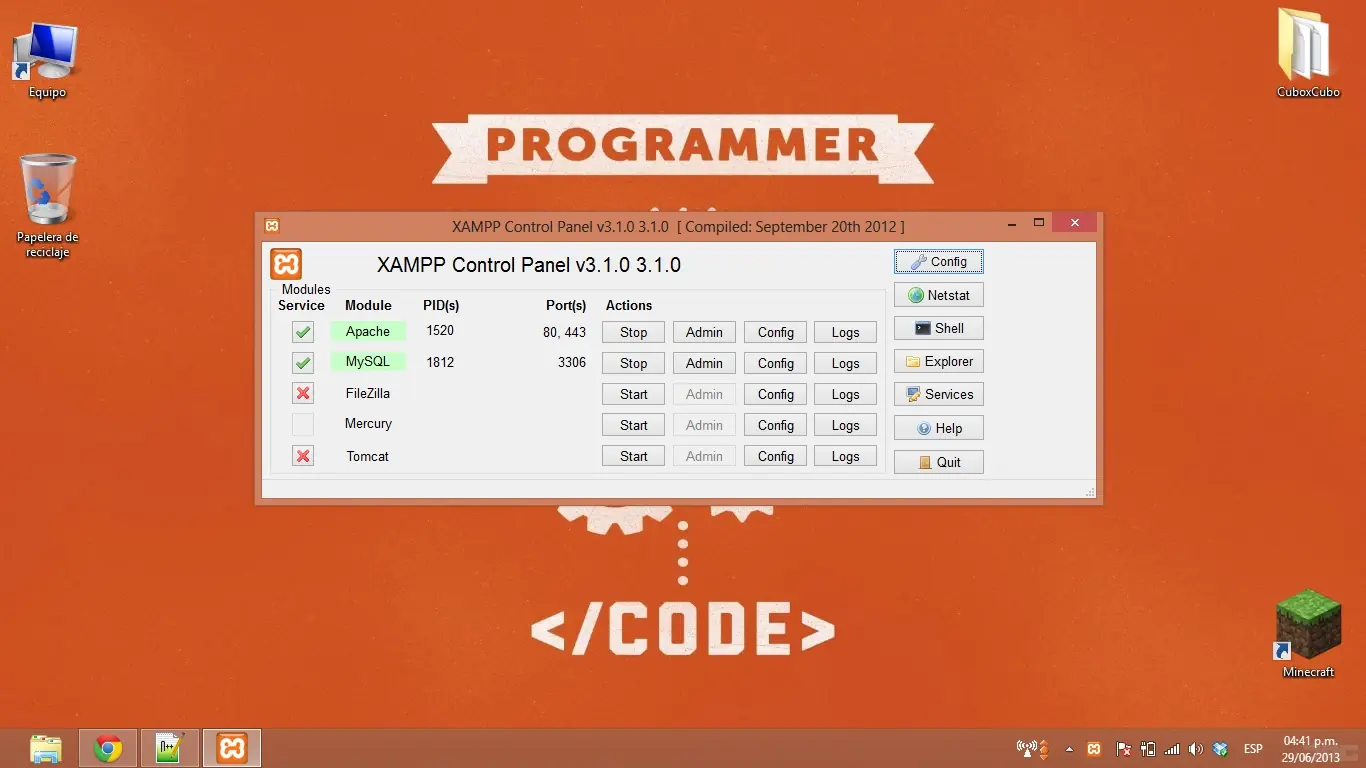
Seleccionamos en START en MYSQL Y APACHE. Si quieren que siempre esté funcionando su localhost (sin necesidad de abrir el programita), tienen que instalar MYSQL Y APACHE haciendo click en el checkbox
Se dirigen a la carpeta donde lo instalaron: (en mi caso disco C) C:/xampp/htdocs y creamos una carpeta para luego ir a nuestro navegador y poder entrar con http://localhost/nuestranombrecarpeta
Donde no tendrán nada todavía, obviamente.
Dirijámonos a http://localhost/phpmyadmin que es nuestra BASE DE DATOS
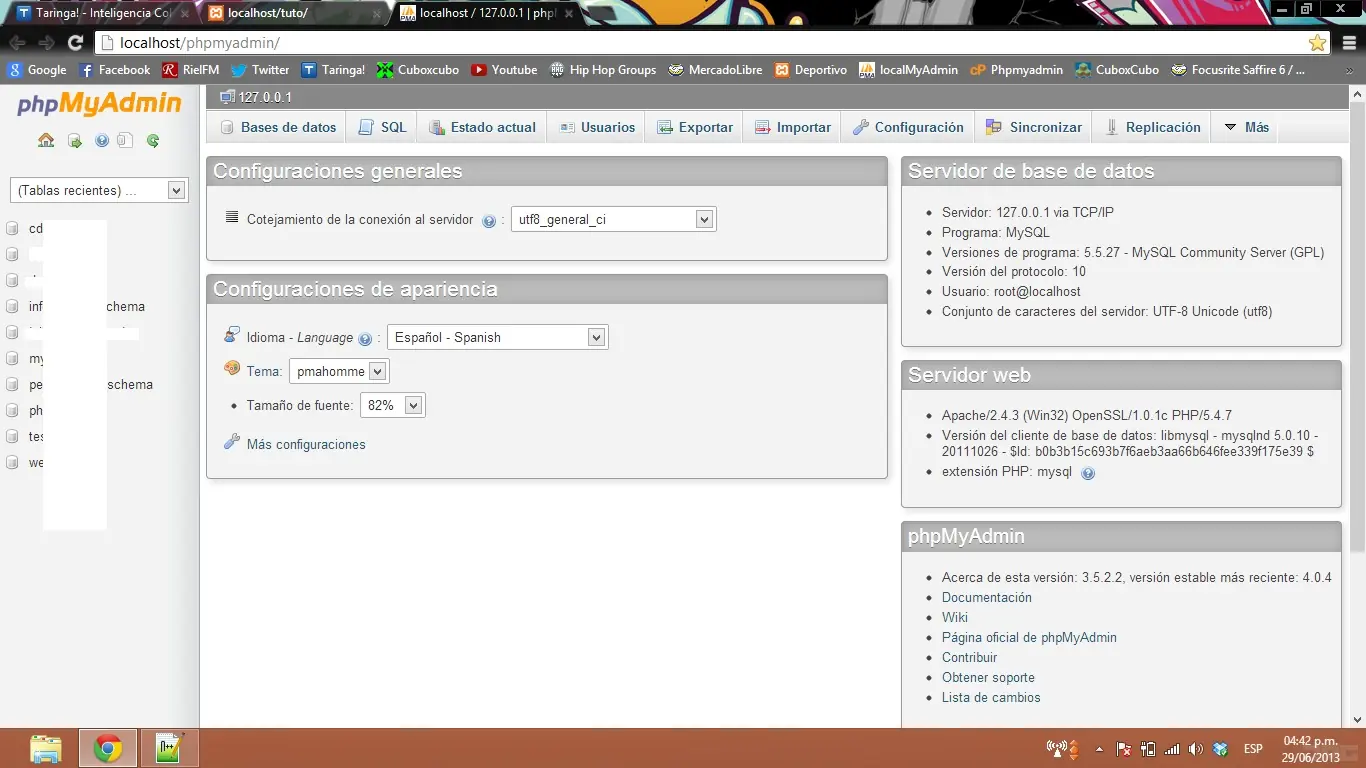
Hacemos click en base de datos (arriba en el menú) y ponemos el nombre a nuestra db, por ahora: miweb.
Lo que está la costado, llamado cotejamiento esta en lenguaje español para que permita subir informacion a la base de datos como ñ tildes, etc.
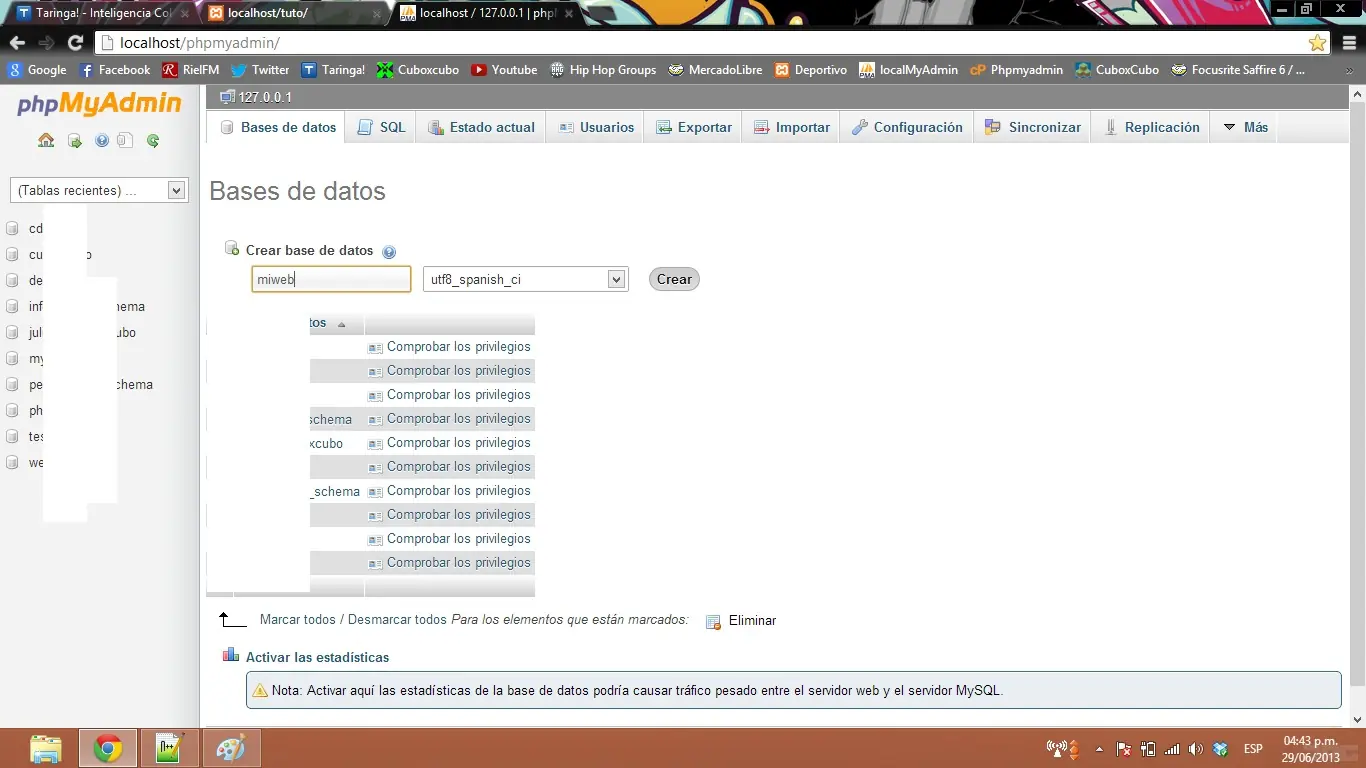
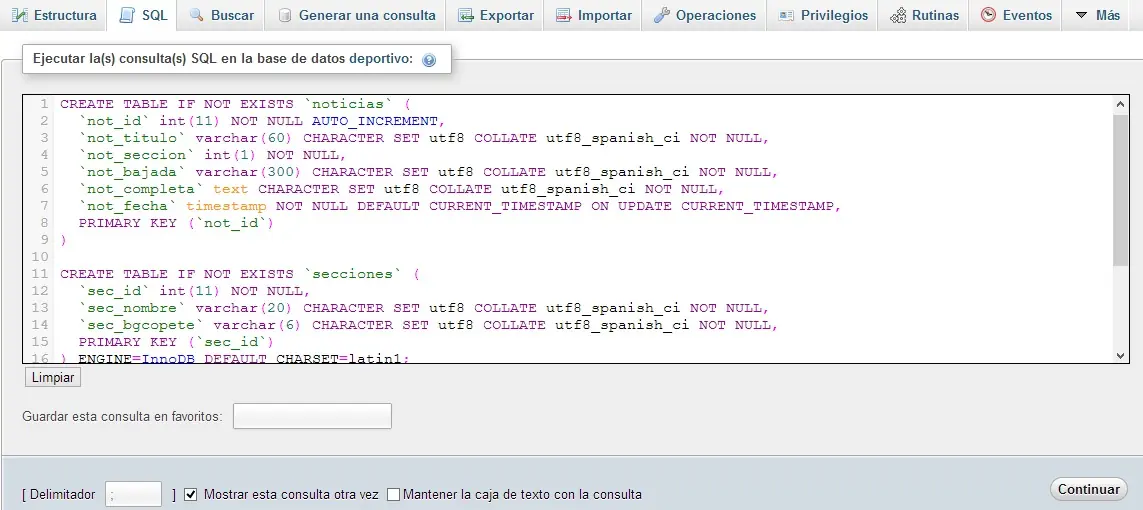
Nos dirigimos a la sección SQL para crear una tabla y ponemos lo siguiente:
MYSQL.php
Para la conexión con la base de datos, cargamos entre las comillas los datos correspondientes.
NUEVA.php
Aquí hacemos el archivo para subir la noticia.
ENVIAR.php
Envia los datos a la db
LISTO DDDDD
????
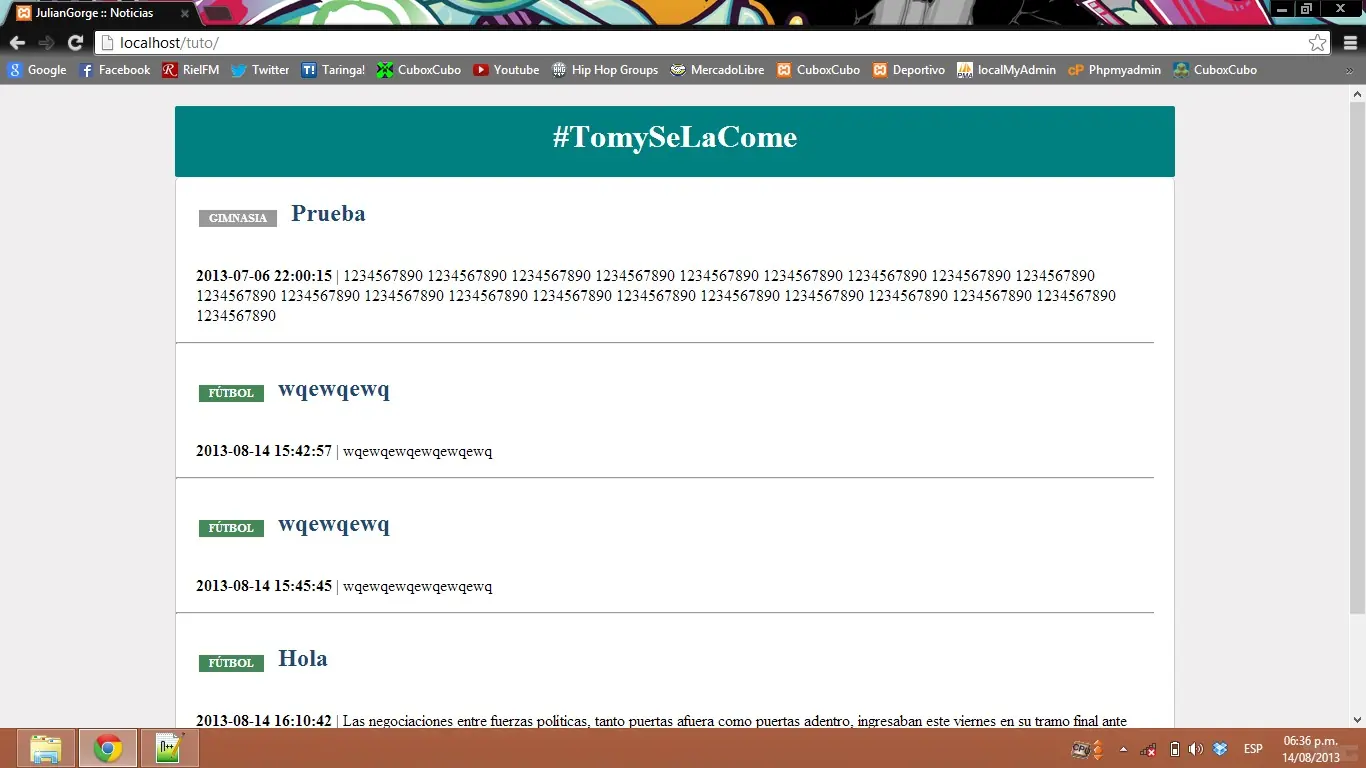
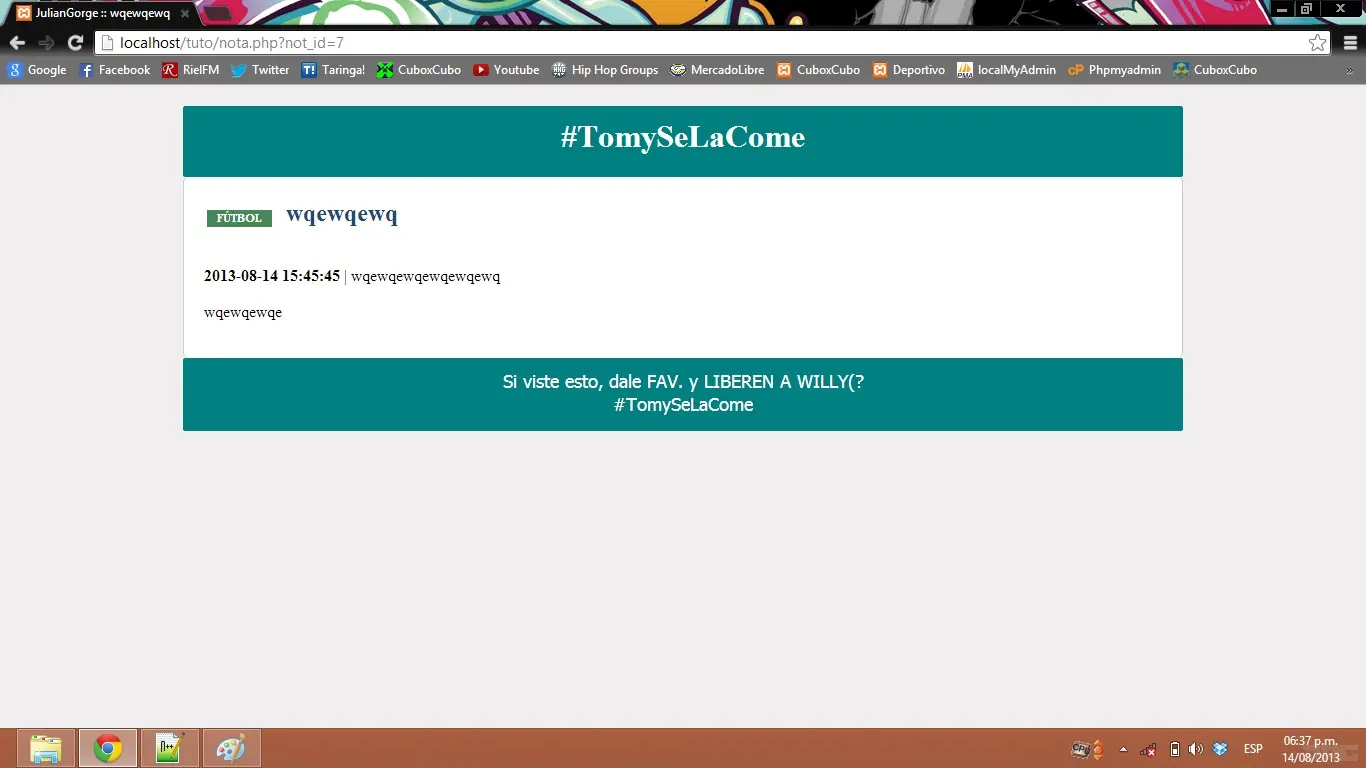
Te explico, hicimos el formulario y el envío (php) junto a la conexión con la mysql, preo para no dejarlo tan flojito les daré el menu principal para el gestor de noticias, css, editar noticia y el index donde se ven las noticias
RECUERDEN CHEKEAR ALGUN TUTO BASICO DE PHP Y MYSQL COMO TAMBIÉN DE HTML/CSS
Les dejo uno mío
http://www.taringa.net/posts/hazlo-tu-mismo/16321783/Queres-crear-tu-propia-web-Tutorial-HTML-y-CSS.html
Necesitas una host si no tenes, con este programa podés tener tu propio localhost.
Una vez descargado e instalado, lo iniciamos (RECUERDEN DONDE LO INSTALARON):
Seleccionamos en START en MYSQL Y APACHE. Si quieren que siempre esté funcionando su localhost (sin necesidad de abrir el programita), tienen que instalar MYSQL Y APACHE haciendo click en el checkbox
Se dirigen a la carpeta donde lo instalaron: (en mi caso disco C) C:/xampp/htdocs y creamos una carpeta para luego ir a nuestro navegador y poder entrar con http://localhost/nuestranombrecarpeta
Donde no tendrán nada todavía, obviamente.
Dirijámonos a http://localhost/phpmyadmin que es nuestra BASE DE DATOS
Hacemos click en base de datos (arriba en el menú) y ponemos el nombre a nuestra db, por ahora: miweb.
Lo que está la costado, llamado cotejamiento esta en lenguaje español para que permita subir informacion a la base de datos como ñ tildes, etc.
Nos dirigimos a la sección SQL para crear una tabla y ponemos lo siguiente:
CREATE TABLE IF NOT EXISTS `noticias` ( `not_id` int(11) NOT NULL AUTO_INCREMENT, `not_titulo` varchar(60) CHARACTER SET utf8 COLLATE utf8_spanish_ci NOT NULL, `not_seccion` int(1) NOT NULL, `not_bajada` varchar(300) CHARACTER SET utf8 COLLATE utf8_spanish_ci NOT NULL, `not_completa` text CHARACTER SET utf8 COLLATE utf8_spanish_ci NOT NULL, `not_fecha` timestamp NOT NULL DEFAULT CURRENT_TIMESTAMP ON UPDATE CURRENT_TIMESTAMP, PRIMARY KEY (`not_id`) ) CREATE TABLE IF NOT EXISTS `secciones` ( `sec_id` int(11) NOT NULL, `sec_nombre` varchar(20) CHARACTER SET utf8 COLLATE utf8_spanish_ci NOT NULL, `sec_bgcopete` varchar(6) CHARACTER SET utf8 COLLATE utf8_spanish_ci NOT NULL, PRIMARY KEY (`sec_id`) ) ENGINE=InnoDB DEFAULT CHARSET=latin1; INSERT INTO `secciones` (`sec_id`, `sec_nombre`, `sec_bgcopete`) VALUES (1, 'Fútbol', '485'), (2, 'Básquet', 'C33'), (3, 'Vóley', '09C'), (4, 'Automovilismo', 'F03'), (5, 'Hockey', '939'), (6, 'Gimnasia', '999');
MYSQL.php
Para la conexión con la base de datos, cargamos entre las comillas los datos correspondientes.
<?php $bd_host = "localhost"; $bd_usuario = "root"; $bd_password = ""; $bd_base = "deportivo"; $con = mysql_connect($bd_host, $bd_usuario, $bd_password); mysql_select_db($bd_base, $con); ?>
NUEVA.php
Aquí hacemos el archivo para subir la noticia.
<!doctype html>
<html>
<head>
<meta http-equiv="Content-Type" content="text/html; charset=windows-1250" />
<link rel="stylesheet" type="text/css" href="css/style.css" />
<title>JulianGorge :: Script de Noticias</title>
<script>
var ns6=document.getElementById&&!document.all function restrictinput(maxlength,e,placeholder)
{
if (window.event&&event.srcElement.value.length>=maxlength)
return false
else if (e.target&&e.target==eval(placeholder)&&e.target.value.length>=maxlength)
{ var pressedkey=/[a-zA-Z0-9.,/]/
if (pressedkey.test(String.fromCharCode(e.which))) e.stopPropagation()
}
}
function countlimit(maxlength,e,placeholder){
var theform=eval(placeholder)
var lengthleft=maxlength-theform.value.length
var placeholderobj=document.all? document.all[placeholder] : document.getElementById(placeholder)
if (window.event||e.target&&e.target==eval(placeholder))
{
if (lengthleft<0) theform.value=theform.value.substring(0,maxlength) placeholderobj.innerHTML=lengthleft
}
}
function displaylimit(theform,thelimit)
{
var limit_text='Quedan <b><span id="'+theform.toString()+'">'+thelimit+'</span></b> caracteres '
if (document.all||ns6) document.write(limit_text) if (document.all)
{
eval(theform).onkeypress=function()
{
return restrictinput(thelimit,event,theform)
}
eval(theform).onkeyup=function()
{
countlimit(thelimit,event,theform)
}
} else if (ns6){
document.body.addEventListener('keypress', function(event) { restrictinput(thelimit,event,theform) }, true);
document.body.addEventListener('keyup', function(event) { countlimit(thelimit,event,theform) }, true); } }
</script>
</head>
<body>
<?php include("divs/header.htm"); ?>
<div id="contenido">
<br>
<table class="nueva">
<tr>
<td>
<img src="img/editar.gif">
<font size="3" face="Arial">
<b>Añadir noticias</b>
</font><br />
</td>
</tr>
<tr>
<td>
<br />
<form action="enviar.php" method="post" name="nueva_noticia">
<input type="text" name="titulo" size="80">
<select name="seccion">
<?php include("mysql.php"); $sec = mysql_query("SELECT * FROM secciones"); while ($seccion = mysql_fetch_row($sec)) {
echo '<option value="'.$seccion[0].'">'.$seccion[1].'</option> '; } ?>
</select>
<br />
<script>displaylimit("document.nueva_noticia.titulo",60)</script> <br /><br />
Bajada<br /> <textarea name="bajada" cols="80" rows="6"></textarea><br />
<script>displaylimit("document.nueva_noticia.bajada",300)</script> <br /><hr size="1">
<br /> Noticia<br /> <textarea name="completa" cols="80" rows="10"></textarea>
<br /><br /> <input style="width:100%" name="nueva-noticia" type="submit" value="Enviar"></form>
</td>
</tr>
</table>
<br>
</div>
<?php include("divs/footer.htm"); ?>
</body>
</html>
ENVIAR.php
Envia los datos a la db
<?php

require("mysql.php");

if(isset($_POST["nueva-noticia"]))

{

$titulo    = $_POST["titulo"];

$seccion    = $_POST["seccion"];

$bajada    = $_POST["bajada"];

$completa    = $_POST["completa"];

if($titulo == '' or $seccion == '' or $bajada == '' or $completa == '')

{

echo 'Completa todos los datos';

} else {

$sql = "INSERT INTO `noticias` (not_titulo,not_seccion,not_bajada,not_completa,not_fecha) VALUES ('".$titulo."','".$seccion."','".$bajada."','".$completa."',now())"; mysql_query($sql);

echo '<script>javascript:window.alert("Noticia publicada");</script>

<script language="JavaScript" type="text/javascript"> var pagina="index.php" function redireccionar() { location.href=pagina } setTimeout ("redireccionar()", 10); </script> '; }

} else { echo '<script>javascript:window.alert("Error al publicar noticia");</script>'; echo '<script>javascript:history.back(1);</script>'; } ?>
LISTO DDDDD
????
Te explico, hicimos el formulario y el envío (php) junto a la conexión con la mysql, preo para no dejarlo tan flojito les daré el menu principal para el gestor de noticias, css, editar noticia y el index donde se ven las noticias