Ubumatic

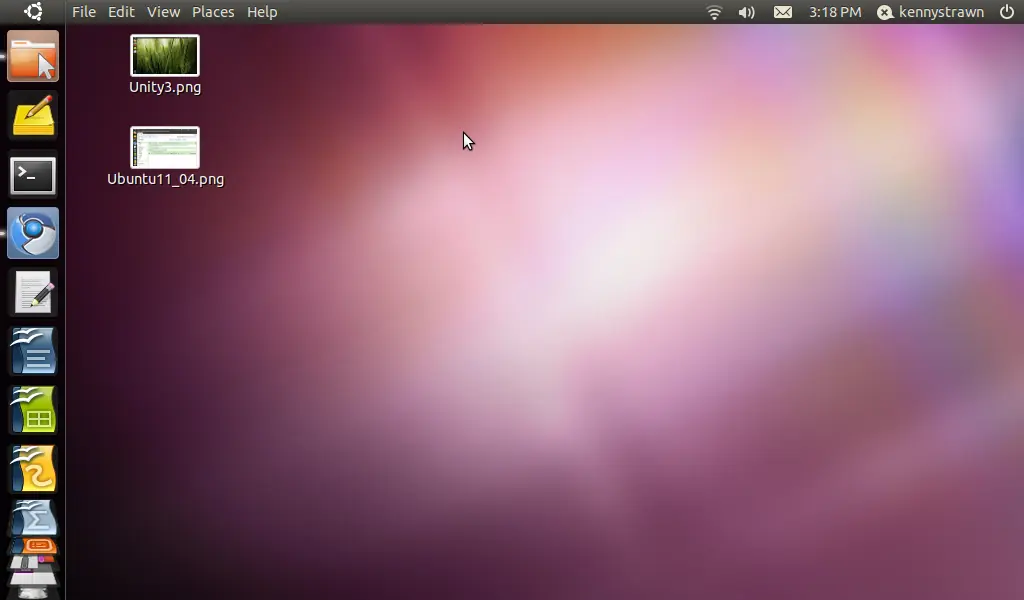
Con la llegada de la nueva versión de Ubuntu 11.04 Natty Narwhal más personas estan instalando este SO... Pero después de instalarlo sigue instalar todos lo programas, fuentes, configuraciones que necesitas.... Para esto te traigo un Scrip que automatiza todo esto: Ubumatic...
dijo:Este script es compatible con: Ubuntu 10.04 Lucid Lynx LTS, 10.10 Maverick Meerkat and 11.04 Natty Narwhal
dijo:
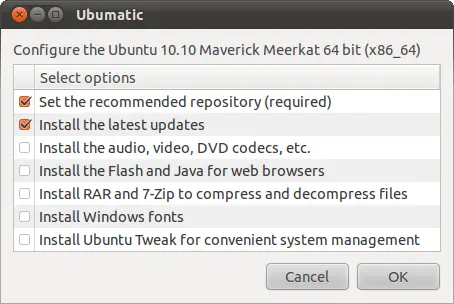
Tareas que hace Ubumatic:
Repositorios de configuración
Actualización del sistema
Instalar codecs multimedia
Instalación de Flash (versión de 64 bits en el Ubuntu de 64 bits) y Java (Sun / Oracle)
RAR y la instalación de 7-Zip
Fuentes de Windows
Instalalción de Ubuntu Tweak
Cómo ejecutar ubumatic
Primero, descarga el script desde aquí después descargarlo para extraer este archivo ejecute los siguientes comandos desde el terminal (asegúrese de que está en la ubicación correcta)
dijo:
tar -zxvf ubumatic_en.tar.gz
cd ubumatic_en
sudo chmod 755 ubumatic.sh
sudo sh ubumatic.sh
Screenshot
[ubumatic.sh --option]
--help - help
--movebuttons - change the order of buttons in Metacity
--restorecompiz - restore default settings in Compiz Fusion
--restorepanel - restore default appearance of panels in GNOME
--sonata - configure the music player MPD + Sonata
--unlock - the screen blocking off in GNOME (hibernate, suspend, screen saver)
[sudo ubumatic.sh --option]
--clean - remove unnecessary packages, downloaded and configuration files
--deletekernel - delete the old versions of kernels
--empty - clear trash and the Thumbnails folder for all accounts
--kubuntu - Kubuntu (KDE) basic configuration
--lubuntu - Lubuntu (LXDE) basic configuration
--repair - repair broken packages
--repositories - edit repository (sources.list), update alerts and download the missing GPG keys
--restoregrub - reinstall GRUB 2 (for Live CD use only)
--ubuntu - Ubuntu (GNOME) basic configuration
--upgrade - install the latest updates
--xubuntu - Xubuntu (Xfce) basic configuration
Y eso es todo espero que esta información les sirva..!!!
Como una yapa diviertanse jugando Jenga
link:
dijo: