yopool
Usuario (China)

Supercard will release the DSTwo video player soon. It is my fortune to get a sample for inner testing before release. Now, let’s share the testing content. As a vedio player special designed for SCDSTwo, DSTWo player is powerfull in video playing. There is a special built-in CPU for decoding, by which DSTwo player can read out rmvb,avi and flv file form without transition. It also support mainstream form for audio play. By tested audio and video, it is competitive with movie card iPlayer in compatibility. DSTWO PLAYER compatibility list: Video:Avi,Rm/Rmvb,Mpeg,3gp,Flv,Mov,Wmv Audio:mp3,wma,ape,flav,wav,aac,ogg,ra,m4a According to upper list, We arrange some video with different format and size for testing. Most of them can run fluently, but few of large size files and high resolution video will lag while running in DSTwo player. The reason may caused by DSTwo player designation. It also may caused by optimization. As DSTwo iPlay is new, it is lack of optimization for many medias. Actually, both the resolution and code rate of video will affect the playing performance. By tested, videos with resolution under 640*480 and code rate less than 2000 will run fluently in DSTwo player. What is more, DSTwo player has better compatibility with Avi and rmvb format, as no lag appears while playing. The DSTwo player also support VOB files for DVD format. Mkv and ts media are also supported. To the surprise, MP4 format file can’t be recognized. It is said MP4 play is not added to DSTwo player. For offset, dstwo optimize the audio effect to bring better performance. DSTwo Player Operation menu For software, DSTwo player has good graphic operation menu. The simple select option and multi language enable every player to use it easily. Users can choose several models for play. He can also adjust the brightness, voice and playing speed as he like. The DSTwo player specilize in smart play function. For different quality videos, it will automaticlly adjust the CPU frequency to save power. Compulsive saving model can be choose if you like. What is extra, if you close the DS hostmachine while running DSTwo player, video play will paused. Then you open the DS, the play will go on. It is really comfortable. It is only the testing of inner sample. Suppercard team will release the final version of Dstwo player soon. Are there any revision? Let’s wait for it.
R4i SDHC 3DS introduction R4i SDHC 3DS is a new SLOT-1 flash cards released from r4i-sdhc.com. It is special designed for NDS console series (R4i-SDHC 3DS supports Nintendo 3DS). New R4i-SDHC 3DS card is the upgrade versions of R4i SDHC V1.4.1 with multi-media features which can support SDHC and run most games and homebrews. Since r4i sdhc V1.4.1 is famous in Nintendo world, we belive the R4i-SDHC 3DS card will be popular on 3DS users. R4i-SDHC 3DS card functionality ● R4i-SDHC 3DS support the latest N3DS perfectly. ● Realtime skin/themes change function(support random skin/themes selection mode). ● Able to memorize and restore to the previously selected game or application after restarting machine and soft reset. ● Able to recognise and display SD card type, volume and type of formating. ● Sleep mode function,for power saving and longer standby time. ● User friendly interface,easy to operate. ● Uses MicroSD card FAT 16 or 32. ● Supports any MicroSD card speed with no lag in game. ● R4i-SDHC 3DS supports Clean ROM.drag and drop.Works on any OS. ● Supports Moonshell and other homeberw.Open I/O interface. ● Supports the WIFI-game.DS Rumble Pak.DS Browser. ● R4i SDHC 3DS supports the Soft Reset. Buit NoPass. ● Integrated latest MoonShell 2.0 Beta version. ● DLDI auto-patch. ● Users just one click away from playable games download. ● WiFi search engine function available with NDS/NDSi/NDSiLL.Users are able to search and download the games and the latest game information according to their own preferences anytime,anywhere. ● You will be able to manage your NDS/NDSi/NDSiLL download by distance contorl through WiFi once you install our Wi-Fi Engine Assistant on your computer. ● Users only need to click on the games they want to download on NDS/NDSi/NDSiLL and the games can be downloaded automatically to the assigned computers. ● This can avoid the annoyance of waiting during the download process. ● Through our PC-based Wi-Fi Engine Assistant software, R4i-SDHC 3DS eable you to download our website's NDS games quickly and easily. ● Core upgrade automatically through WiFi of NDS/NDSi/NDSiLL to avoid tedious upgrading steps. R4i SDHC 3DS Software The software of R4i-SDHC 3DS card is not same as R4i SDHC V1.4.1, it is a totallly new firmware. The first version of R4i-SDHC 3DS kernel is V1.0b, it was released on March 22nd. Latest R4i SDHC 3DS kernel is R4i sdhc V1.35b, it was released on March 25th. It support most 2D games on Nintendo 3DS console. Users can download it for installation. ( attention: R4i-SDHC 3DS kernel can’t support 3DS game currently, r4i-sdhc.com team is working to solve this problem). R4i-SDHC 3DS with 2GB Kingston package include: R4i-SDHC 3DS card X1 pieces 2GB Kingston memory card X1 pieces MicroSD reader / writer X1 pieces Hard protective box X1 pieces Fiber 3DS protective case X1 pieces. Source from: http://www.r4town.com/products/R4i-SDHC-3DS-card-for-Nintendo-3DS-console.html .
New R4 3DS card review The R4 3DS card from r4idsn broke Nintendo 3DS successfully, it is the first R4 3ds flash card to break N3DS! The new r4 3ds card – R4idsn is the current top-of-the-line in SLOT-1 carts. It support s Nintendo DSi V1.4.1 firmware upgrade and 3DS. R4 3ds flash card is just an amazing little device like original cart size, R4 3DS R4idsn card is a complete solution with no need to purchase any additional components or deal with any messy software and truly the easiest media enhancer you have ever done; To simply put it, this is a must have peripheral for any regular DSL / DSi / LL / XL /3DS host. R4 3DS card software This R4 3DS card from r4idsn use same kernel as r4i gold 3ds card. There are two kernel availble for r4 3ds card currently. The wood r4 3ds kernel (latest version is wood r4 V1.28)and r4i kernel.(latest version is r4i v1.51). Users can download any of them to enjoy games. r4idsn team will improve the firmware continuously. How to Set up R4 3DS card Watch R4 3DS installation online video Players can finish the R4 3DS installation with 4 steps. 1.Download latest R4 3DS software to your computer from official website. 2.Unzip the sofware file into some files. 3.Copy all files to the root directory of the TF card. 4.Copy any games you like, to the root directory of the TF card. You have finished the setup process. Just turn on the Nintendo console to enjoy games or medias. More informations visit: r4town.com
iReader V1.1 new version was released yesterday. It is the latest version, more powerful and more comfortable. By adding some new function keys and eliminate few bugs, users can browse pictures enjoy E-book more comfortable and more easily. Players can download it from r4wood.com to update the Supercard DSTwo kernel. Supercard team claims to release the source code of iReader SDK later. DSTwo iReader V1.1 image: How to install Download the package and release the document iReader_Vx.x.rar. Then copy the two folders iReader and _dstwoplug to the root of MicroSD memory card.Cover the version used before. After updating, you can see two foldrs:iReader and _dstwoplug. Supercard DStwo iReader V1.1 update content * New version iReader V1.1 can recognize the file types which supports by the extensions. ZIP files can be displayed as a folder. There are three display fliters: All, Book, and Picture. * R key is added to turndown the page when portrait reading. * Fixed the missing letter bug in some font sizes when portrait reading * Improved pic zoom, now you can view pic as 25% 50% 75% 100% 150% 200% 300% 400% * Big picture function is added for better browseing. * Eliminate the bug of unale to zoom or rotate before. * Fixed some bugs of BMP picture reading * Improved bookmark save function. Now you can save more than 10 bookmarks for each file. Even more if you want! NOTE As some codes of bookmark is revised, The bookmarks of old version are not compatible in new iReader V1.1 version. Users must remove the old bookmark to fit the iReader V1.1, oreles, there will be some problems. Supercard DSONE/I SP6 OS is released on 20th, 2010. DSONE/i Evolution SP6 OS update content * Fixed file system (fixed the crash bug when there is space in filename) * Fixed Kingdom Hearts Recoded * Fixed Dementium 2(JP&EU) * 4, Added AP manually set (Press Y to call out game info menu and turn on/off it. Default as Enable.) Note: Seems Last Window had been fixed with this version. Please test and report. Source from yopool.com
Best R4 card for Nintendo DSi V1.4.3!R4 DSi card is also called DSi card or R4i card. It is a kind of flashcard made for Nintendo DSi, DSiLL and DSiXL. By useing a R4i DSi card and MicroSD card, users can easily play games and multi-media functions. R4 DSi card is the upgrade version of R4 DS card, it contains all function of R4 DS. Nintendo upgraded the DSi firmware to V1.4.3 in July 2011, and some R4 DSi cards are halt. But it is happy, below R4 DSi card can work on DSi V1.4.3 straightly. R4 DSi cards overviewThere are many R4 DSi cards which perfectly support DSi V1.4.3 in the market. Such as: R4i SDHC V1.4.3 and R4i SDHC 3DS made by r4i-sdhc.com, R4i Gold 3DS card made by R4ids.cn, Acekard 2i from acekard.com, Supercard Dstwo from supercard.sc, M3i Zero from m3adapter.com, R4iTT and R4iTT 3DS from r4itt.net, R4i-Gold 3DS card from r4i-gold.com, R4i Gold Plus from r4ids.com, TT 3DS card from n3dstt.com, R4i RTS from r4isdhc.com and so on. Some of them are lagged, as no update of firmware. But some very good R4 DSi cards continuously update the kernel to fit Nintendo latest DSi Version.R4 DSi card big promotionIf you would like to choose a most popular R4 DSi card, we kindly recommend the R4i SDHC 3DS made by r4i-sdhc.com and the R4i Gold 3DS made by r4ids.cn. Both of them support Nintendo 3DS V2.1.0-4, DSi V1.4.3 and DS lite straightly, no need any upgrade. They are well known in DSi users. R4i SDHC 3DS use R4i 3DS kernel, it updates for every month. R4i Gold 3DS card use Wood R4 kernel, it is powerful and with good compatibility. For new dsi users, they are most suitable R4 DSi cards.R4 DSi VS R4 3DS Usually, R4 DSi card can work on Nintendo DSi and DS lite, R4 3DS can work on 3DS, DSi and DS console. But actually, there is no real R4 3DS cards, it is the improved R4 DSi card. Improved R4 DSi cards can run DSi games on 3DS console, so they are called 3DS cards, but they can't run 3DS games currently.How to setup R4 DSi card on Nintendo DSi?Different R4 DSi cards has different software, but the installation method are very similar.You need below accessories to setup the R4 card: * 1 X R4 DSi flashcard * 1 X MicroSD card * 1 X USB reader1. Official website is printed on the R4 DSi card, Visit official website and download the latest kernel to the computer, you will get a zipped patch.2. Unzip the patch, you can get some files.3. Connect the MicroSD card to computer through the USB reader.4. Copy all files to the root directory of the MicroSD card.5. Also, download and copy some games to the root directory of MicroSD card.6. Insert MicroSD card to R4 DSi card, and put r4 card to Nintendo DSi, start to play.R4 DSi card not work on DSi V1.4.3?If your R4 DSi card can't work on DSi V1.4.3 console, there may be many reasons.* Some old R4 DSi cards need upgrade to support DSi V1.4.3. You can visit official website, download latest kernel and V1.4.3 update patch, then upgrade the card as guide.* The R4 DSi card is dirty. You can clean the kingfinger part with a cloth, then try to run it. make sure the connection between TF card and R4 DSi card is good.* There are some files damage. You can format the MicroSD card, and re-install the kernel.* If still can't work, the R4 DSi card must be broken, contact us for exchange or reship.
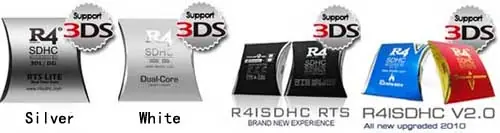
R4 3DS RTS card from r4isdhc.com is a new 3ds r4 card. It is usually called r4isdhc RTS card. R4 3DS RTS card is the latest development in flash cartridge, it was released on March 7th, 2011. by loading the latest r4 3ds kernel, it not only supports Nintendo 3DS console, buy also be compatible with Nintendo DSi,DsiLL,DsiXL,DS and DS lite. R4isdhc.com team improved the hardware and software, which enable the r4 3ds card to accept a MicroSDHC card (up to 32GB) and offers belowing features: Play games Watch movies Listen music Browse pictures Read E-books and more. R4 3DS Card (RTS) main features R4 3DS card is same size as an original DSi game cartridge Built-in PassMe (NO need for any boot cart./passcard etc.) RTS R4 3DS card uses microSD memory card (Trans Flash) as storage Boot clean dump images (downloadable from internet) Very simple to use: drag and drop files to the microSD card and play Standard FAT system support R4 3DS RTS card supports different speeds of micro SD cards Supports HC memory cards Upgradable Firmware ( OS / Bios / Kernel ) Touch screen control and robust skinning support No battery needed, back up the save file directly into the microSD card Homebrew support , IO lib available on launch R4 3DS RTS card supports WiFi, DS rumble pack and DS browser R4 3DS RTS software R4 3DS card from r4isdhc.com use its own softwere – r4isdhc kernel. The latest version is r4isdhc RTS 3.2.Users can download it for application.(attention: this r4isdhc 3DS card is different from r4i-sdhc 3ds card, don’t mix their kernel) R4 3DS RTS card setup method Before r4 3ds kernel installation, make sure the package contanis the r4 sdhc 3ds card and the MicroSDHC card. We also need a Nintendo console. 1. Downdload latest R4 3DS RTS kernel.Go official website r4isdhc.com, enter Download page, you will find r4isdhc RTS 3.2 kernel in 11 languages. Choose your optional language and download. 2. It is a compressed file, unzip it and we get some files. 3. Connect the MicroSD card to the computer through the USB reader, format the MicroSD card. 4. After formatting, copy all kernel files to micro SD card 5.Put MicroSD card in R4 3DS flash card and connect the 3DS R4 card to Nintendo console, Turn on the console and you will find R4 3DS RTS card normally running on N3DS.
If your R4 3DS card can't work on Nintendo console, there may be 3 reasons: 1. you did wrong operation to install the kernel and games; 2. the R4 3DS card need to be upgraded for your console; 3. the R4 3DS flashcard is broken. Please check below for solution.R4 3DS card not work at first timeIf the R4 3DS card can't work, while opening the package, you can try to solve it:1. Make sure, you do correct operation to set up the R4 3DS card. * Download correct R4 Kernel from official website (printed on the card). * Unzip the patch, you can get some files. * Copy all files to the root directory of the TF card. * Download some games, and copy them to the root directory of TF card. (watch R4 3DS installation online video)2. Check the Connection between MicroSD card and R4 3DS card, whether it is well.3. Make sure the R4 3DS card connect well with the Nintendo console.4. If upper operation is useless, try the R4 card with another MicroSD card.5. If still not work, try the R4 3DS card in another Nintendo console.6. If the R4 3DS can't work in any console with any TF card, it must be broken, contact the reseller for exchange..R4 3DS card work for some days, then broken?If you get the R4 3DS card, it worked well before, but now out of work, please don't worry, try below steps.1. Go official website and check. If there are some firmware update, download the update patch, and upgrade the R4 3DS card to the latest version. In most case, the problem can be solved.2. There may be some files damage in the MicroSD card. Try to format the MicroSD card, and re-install the latest r4 kernel. Some software problem can be fixed by this method.3. The R4 3DS card is dirty. If the Nintendo console can't find the R4 card, try to clean the Kingfinger part of the R4 card, then try again.4. It is may be other problems, try the R4 3DS card on another console and another TF card.5. If still can't work, the R4 3DS card must be broken. contact the reseller for exchange.
How to use R4i-Gold 3DS cardR4 NDSI user notice: Insert Micro sd card (TF card) into the R4i GOLD 3DS card correctly. The back side of TF card should match the front side of R4i-Gold 3DS card.1.Download Kernel and GameBy using TF card reader, connect the TF card with computer, open the memu.a. Download R4i-Gold kernel from official website to your computer.b. Unzip the patch, and copy "homebrew","moonmemo","moonshl2","R4iMenu"," R4.dat" to the TF card.c. Download some games from r4i-gold.com or r4-roms.com for free..2.Copy gamesBy using TF card reader, connect the TF card with computer, copy the downloaded games to TF card. (If needed, corresponding menu can be set up)3.R4i-Gold 3DS Main menu operationMake sure microSD card with Kernel is inserted in R4i NDSI, then insert R4 NDSI in NDS SLOT-1 port, start the machine and enter main menu interface. By pressing buttons (right and left) or touching screens, you may choose the games or media function, press A to the relative function.4.R4i-Gold 3DS Game operation menuChoosing game function in Main Menu to enter Game interface, return to main menu by pressing R.In Game Interface, press L to adjust 4-level brightness.In Game Interface, it’s on top screen showing game messages including four items: game, cheat, setting and ROM, while it’s on bottom screen showing game name, file size and current game category. Press “UP” and “DOWN” to check current page easily, and press “LEFT” and “RIGHT” to turn over the page, on the top line of bottom screen, it is showed with current file and total file qties, while on bottom line of the bottom screen the path of the category.Press X or B, enter four items in the top screens: game, cheat, setting and ROM.Enter cheat item, it’s showed in the bottom screee Current game name, cheat function setting, cheat function switch, timely reminding window and file saving. Touch Cheat off/Cheat on to run the cheat function, and touch file saving to save the file.Enter Setting item, it's showed in the bottom screen there languages: English, Simplified Chinese and Japanese, touch file saving to save the relevant file.Enter ROM item, it’s showed in the top bottom screen cheat, DMA, software start functions, touch the relevant file to save the file. When the Soft-Reset function is ON during game, “L+R+A+B+X+Y” kdy combination can be pressed to return R4-II menu.. Don’t save during soft reset, otherwise “archive lost” will be led. It is recommended to return game main menu and then soft reset. If Soft-Reset can not be operated or the Game is impacted, please turn off the soft-reset function.5.Game OperationChoose your expected game in the game menu, press A or touch the screen to play games.In the first operation, it will remind “ file is effected”The updated date of the files will be automatically revised while playing the games each time, the updated files could be easily found by checking the latest date revision.The names of the files are the same as which of the games, expanded name is SAV. Which can be copied to computer at any moment.6.Cheat Operation of R4i-Gold 3DS cardChoose the games, enter Cheat by pressing B or X.Game Title is showed in the top screen, while it shows in the bottom screen reminding window, Cheat off/Cheat on, file saving, current Cheat items. Choose your expected Cheat item by pressing “up” and “down”, and open or close the item by pressing A or touching the screen. Touch “Cheat on/Cheat off” to operate the Cheat, and touch the screen to save the file.While the Cheat is running, you may choose the cheat code one by one by pressing “up” and “down”, and close the cheat code by pressing “A”. Under Cheat Code Category, press A to open/close the category. You can delete the cheat.dat file in R4iMenu category if the cheat function is not required.Cheat database updates: Download the newest cheat database and copy usrcheat.dat file to R4iMenu category.7.Skin change method on R4i-Gold 3DS cardFour files are alternative in the R4iMenu/Skin category: they are TScreen.bmp, BottomInit.bmp, TScreen.bmp and BottomScreen.bmp, which are the operation interface of R4, content in the pictures can be changed at random.TScreen.bmp -- R4 NDSI Top screen interface after starting the machineBottomInit.bmp -- R4 NDSI Bottom screen interface after starting the machineTScreen.bmp -- R4 NDSI Top screen interface for the file categoryBottomScreen.bmp -- R4 NDSI Bottom screen interface for the file categoryNotice: The above files names can not be changed, picture must be in .bmp format with 8 or 24 digits, picture size must be of 256*192 pixel.Once your favourite picture is ready, copy the complete category “TF card R4iMenu/ skin” to TF category.
New R4i Gold 3DS version from r4ids.cn A newest version of r4i gold 3DS card is issued from r4ids.cn. Now it is under the testing and review process. Since this process need time to conduct properly, I've created a short hands-on impression of this new r4i gold 3ds card. The R4i Gold is a recent flash card, but the team seems intent on delivering a product that defies the standard R4 "clone" label. With a simple design and official support from Wood, this cart aims to be a mainstay in the community. How well does it work New R4i Gold 3DS Packing Largely change was made to the new r4i gold package. . A noticable addition to the R4i Gold unit that I received was a red sticker on the package highlighting it's 3DS compatibility. Since it was a sticker it was clear that this is the standard R4i Gold unit with the 3DS compatibility bootloader update already applied (opposed to a new hardware version like other flash carts). (The previous line was a mistake, while this r4i gold card can be updated for new 3DS firmware versions and older versions of the cart can be updates for new DSi firmware versions, you cannot upgrade an older DSi version of the R4i Gold to have 3DS compatibility like other flash cards.) As for the quality of the packaging, the R4i Gold's is done simply, but it protects the flash cart. The box isn't larger than it needs to be, and the cart itself is contained within a plastic holding container; it doesn't look like the cart could be damaged during normal shipping conditions if properly packaged. The plastic holding container seems to be used for many flash carts, it can hold two flash or DS game carts at once and is a nice little addition with the purchase. A standard USB MicroSD card reader is included, though I found it was difficult to remove the MicroSD once it was placed in the reader, as it fit rather snug. R4i Gold 3DS hardware The R4i Gold 3DS is a simply-designed flash cart, two clipped-together halves of a shell, and a PCB. One of the first things I noticed is that the MicroSD slot is not spring-loaded. Some people prefer this as it means one less possible point of failure, while others may find the MicroSD hard to remove if you don't have nails. The cart in general is not thick like some other flash cards, but unfortunately the unit I received has the habit of getting stuck when I tried to eject it, to the point that I can literally pick up the system by holding onto the flash cart. This is not simply friction caused by a tight fit, it feels like the R4i Gold is getting caught on something and I have to wiggle it to the right to free it. This problem was exhibited in both a DSi and 3DS, and none of my other carts (game or flash) do this. R4i Gold 3DS Compatibility The unit I received had the 3DS bootloader update already applied, and as suspected after giving it a MicroSD with the proper Wood menu files, the R4i Gold 3DS successfully ran on an updated US Nintendo 3DS system, with no noticeable flaws. It's important to note that this flash cart (like all current flash carts) currently runs on the 3DS in "DS mode". This means the r4i gold 3ds card runs as if it's in a DS. It will not play DSi games, it will not play 3DS games, and no games or homebrew running from the cart can take advantage of any extra DSi or 3DS features. R4i Gold Game/Homebrew Compatibility The Wood R4 firmware for the R4i Gold boasts high compatibility, and is currently one of the top-suggested firmwares. Indeed it seemed to have no problem with many common games, and it would run trimmed ROMs and ROM hacks without a problem, even detecting cheats properly. Save size is detected automatically, and the Wood firmware is compatible with the standard .SAV save type that many flash carts use, so Wood was able to pick up on and use my saves from some other carts without an issue. A proper test of various problematic ROMs and homebrew will be conducted for the full review. We hope this R4i gold will be stand out in R4 3DS world.
R4i RTS from r4isdhc.com reviewR4i RTS is a excellent R4 3DS card made by r4isdhc.com, it may also be called R4isdhc RTS card. With a MicroSD card, it is easy for users to play games and enjoy multi-media functions on the R4i RTS card. The bigest feature of R4i RTS card is it's RTS function, which enable player to save and restart the game at any time. R4i RTS card offers very good capacity, it supports Nintendo 3DS and all other consoles currently.R4i RTS compatibilityAs an excellent flashcard, R4i RTS offers very good compatibility, it supports all Nintendo consoles currently (check below), without any upgrade. And r4isdhc.com will always update the firmware to fit latest Nintendo console. * Nintendo 3DS: all 3DS version, including latest 3DS V2.1.0-4U and 3DS V2.1.0-4E. * Nintendo DSi: all DSi Version, including DSi V1.4.3, V1.4.2, V1.4.1 and before version. * Nintendo DS and DS lite.Why Buy R4i RTS card?1. Among most R4 3DS cards, R4i RTS offers best compatibility, it support all Nintendo consoles.2. R4i RTS card support RTS functions, it is easy and comfortable for play.3. R4isdhc RTS kernel update fast, users can play the latest DS and DSi games.4. Resellers promise 3 months warranty, it is safe for players to use this card.5. r4isdhc.com team is working hard, to make R4i RTS more powerfull and more attractive.R4i RTS KernelR4i RTS kernel is special released from r4isdhc.com. It is updated very fast. The latest version is R4isdhc-silver V1.19, which was released on July 17th, 2011. r4isdhc.com will always issue new kernel to fix some latest games. How to Setup R4i RTS card1. Download latest R4i RTS kernel to the comuter.2. Unzip the patch, you can get 3 files: "R4I.DAT", "Moonshl2" and "R4IiMenu".3. By using the TF card reader, connect your TF card with computer, open the file.4. Copy all the 3 files to the root directory of the TF card.5. Download some games, and copy them to the root directory of the TF card.