D13604F
Usuario (Colombia)
He instalado debian 6.0, y me he encontrado con esta muy buena pagina que tiene:1. Editar los repositorios2.Instalar paquetes básicos para la compilación de paquetes3.Instalar los codecs básicos multimedia4. Otros codecs importantes (Java y Flash, Rar, 7z)5. Utilidades “básicas” que se quedan por fuera de la instalación del primer CD de Debian Squeeze6. Lo necesesario para trabajar con particiones NTFS7. Miscelaneos esta pagina esta muy buena http://www.glatelier.org/2011/05/que-hacer-despues-de-instalar-debian-squeezelo-mas-basico/
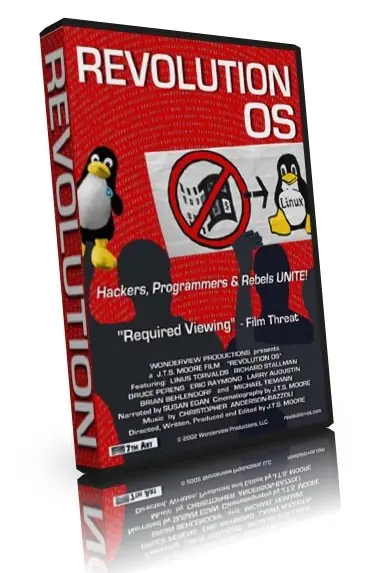
Pues nada que esta en youtube , muy buena películaparte 1 son 9http://www.youtube.com/watch?v=WSn2AJeE52oparte 2http://www.youtube.com/watch?v=jwyLTuVBfeA&feature=relatedparte 3http://www.youtube.com/watch?v=QTsE6tdqdCM&feature=relatedparte 4http://www.youtube.com/watch?v=vOueCsLf3w4&feature=relatedparte 5http://www.youtube.com/watch?v=UVHTBbck7Kk&feature=relatedparte 6http://www.youtube.com/watch?v=U29MBL3iI0k&feature=relatedparte 7http://www.youtube.com/watch?v=PElHVwPibOI&feature=relatedparte 8http://www.youtube.com/watch?v=ZcgtRewjV-I&feature=relatedparte 9 http://www.youtube.com/watch?v=B629FVgGSdg&feature=related

$ echo -e "ndeb http://downloads.sourceforge.net/project/ubuntuzilla/mozilla/apt all main" | sudo tee -a /etc/apt/sources.list > /dev/null $ sudo apt-key adv --recv-keys --keyserver keyserver.ubuntu.com C1289A29 $ sudo apt-get update $ sudo apt-get install seamonkey-mozilla-build $ seamonkey ./ cuando abra lo anclan encima de el logo click derecho mantener en el lanzador para no estar abriendo desde terminal
repositorio abrir terminal copiamos y pegamos este comando sudo gedit /etc/apt/sources.list borramos el texto y copiamos el siguiente archivo # deb cdrom:[Ubuntu 14.04 LTS _Trusty Tahr_ - Alpha amd64 (20140224)]/ trusty main restricted # See http://help.ubuntu.com/community/UpgradeNotes for how to upgrade to # newer versions of the distribution. deb http://archive.ubuntu.com/ubuntu trusty main restricted deb-src http://archive.ubuntu.com/ubuntu trusty main restricted ## Major bug fix updates produced after the final release of the ## distribution. deb http://archive.ubuntu.com/ubuntu trusty-updates main restricted deb-src http://archive.ubuntu.com/ubuntu trusty-updates main restricted ## N.B. software from this repository is ENTIRELY UNSUPPORTED by the Ubuntu ## team. Also, please note that software in universe WILL NOT receive any ## review or updates from the Ubuntu security team. deb http://archive.ubuntu.com/ubuntu trusty universe deb-src http://archive.ubuntu.com/ubuntu trusty universe deb http://archive.ubuntu.com/ubuntu trusty-updates universe deb-src http://archive.ubuntu.com/ubuntu trusty-updates universe ## N.B. software from this repository is ENTIRELY UNSUPPORTED by the Ubuntu ## team, and may not be under a free licence. Please satisfy yourself as to ## your rights to use the software. Also, please note that software in ## multiverse WILL NOT receive any review or updates from the Ubuntu ## security team. deb http://archive.ubuntu.com/ubuntu trusty multiverse deb-src http://archive.ubuntu.com/ubuntu trusty multiverse deb http://archive.ubuntu.com/ubuntu trusty-updates multiverse deb-src http://archive.ubuntu.com/ubuntu trusty-updates multiverse ## N.B. software from this repository may not have been tested as ## extensively as that contained in the main release, although it includes ## newer versions of some applications which may provide useful features. ## Also, please note that software in backports WILL NOT receive any review ## or updates from the Ubuntu security team. deb http://archive.ubuntu.com/ubuntu trusty-backports main restricted universe multiverse deb-src http://archive.ubuntu.com/ubuntu trusty-backports main restricted universe multiverse deb http://archive.ubuntu.com/ubuntu trusty-security main restricted deb-src http://archive.ubuntu.com/ubuntu trusty-security main restricted deb http://archive.ubuntu.com/ubuntu trusty-security universe deb-src http://archive.ubuntu.com/ubuntu trusty-security universe deb http://archive.ubuntu.com/ubuntu trusty-security multiverse deb-src http://archive.ubuntu.com/ubuntu trusty-security multiverse ## Uncomment the following two lines to add software from Canonical's ## 'partner' repository. ## This software is not part of Ubuntu, but is offered by Canonical and the ## respective vendors as a service to Ubuntu users. # deb http://archive.canonical.com/ubuntu trusty partner # deb-src http://archive.canonical.com/ubuntu trusty partner ## This software is not part of Ubuntu, but is offered by third-party ## developers who want to ship their latest software. deb http://extras.ubuntu.com/ubuntu trusty main deb-src http://extras.ubuntu.com/ubuntu trusty main le damos guardar con control + o luego le damos control + x para salir actualizamos con este comando copiamos y pegamos en terminal sudo apt-get update y listo

Buscando por la Web me encontre con este Posthttp://www.giantflyingsaucer.com/blog/?p=2858